
📝 Image to Text Converter
Extract text from photos, scans, screenshots – 100% free
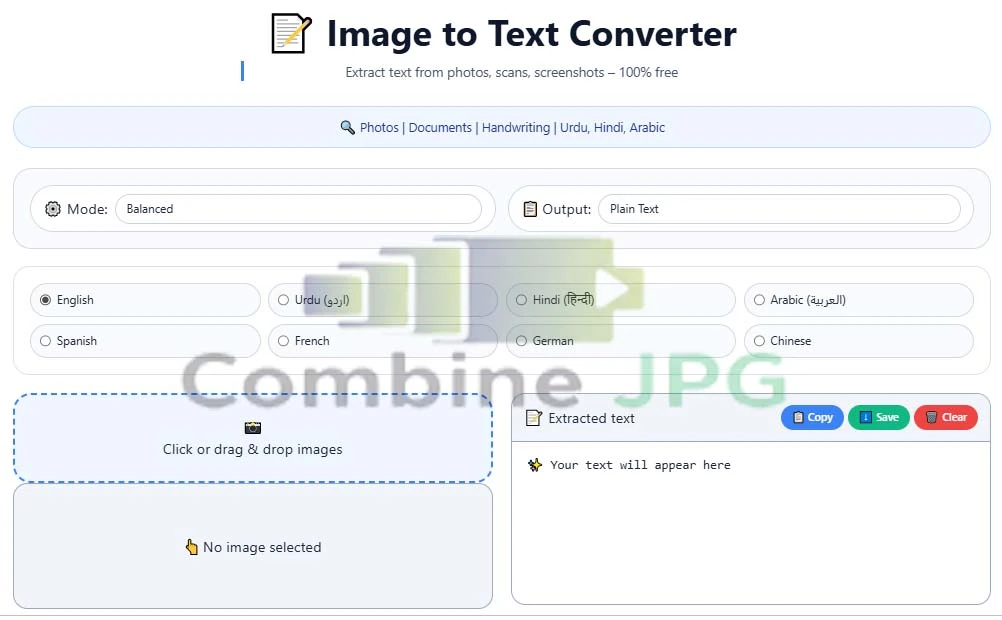
Click or drag & drop images
⚡ Our Free Image Tools
High-Accuracy Image to Text Converter: Extract Text from Photos Online
Tired of manually typing? Our Image to Text converter is the ultimate solution. Whether you want to copy text from photo or need a reliable JPG to text copy tool, CombineJPG.com uses cutting-edge OCR to extract text from image online with 100% precision. Stop wasting time on manual entry and scan photo to text in seconds.
Whether you need to convert JPG to text, JPEG to text, or handle a blurry photo to text conversion, our tool is optimized for high performance and global language support.
Specialized Urdu, Arabic & Hindi OCR Converter
Our tool is uniquely optimized for Asian languages. Unlike other tools that mess up the formatting, we ensure that Urdu and Arabic text is extracted with perfect Right-to-Left (RTL) alignment
Why Use an Online OCR Converter?
In the digital age, being able to convert a photo to text for free is a game-changer for students, professionals, and businesses. Here is why our tool stands out:
- JPG to Text Converter: Transform physical documents into editable formats like Word or Notepad.
- Save Time & Effort: Stop retyping! Extract text from images in seconds and focus on more important tasks.
- Photo Text Copy Online: Our engine allows you to simply click and copy text directly from screenshots or web images.
- Searchable Archives: Turn your static image library into a searchable database by converting them to text.
Advanced Use Cases for Our OCR Tool:
- Digitize Books & Notes: Scan pages and convert image to text online for easy study.
- Receipt & Invoice Processing: Extract data from bills for quick accounting.
- Handwriting Recognition: Our AI is trained to recognize and convert handwritten notes to digital text.
- Urdu & Arabic OCR: Full support for Right-to-Left (RTL) languages like Urdu, Arabic, and Farsi.
- Social Media Quotes: Easily copy text from Instagram or Pinterest screenshots.
Get More with Our JPG to Text Copy Tool
- Copy Text from Image Online: Bas upload karen aur ek click mein saara text copy karen.
- Scan Photo to Text: Books ya handwritten notes ki picture len aur unhe editable text mein badlen.
- JPG Text Extractor: Har qism ki image file se data nikalne ke liye optimized.
- Fastest Image to Text Free: Koi hidden charges nahi, koi daily limit nahi.
How to Convert Image to Text (3 Simple Steps)
Our online OCR tool is built for maximum speed and ease of use:
- Step 1: Upload Your Image: Drag and drop your JPG, PNG, JPEG, or WebP file. You can even upload multiple images to scan image to text online in a batch.
- Step 2: Automatic AI Processing: Our servers analyze the image instantly. The OCR converter identifies every character, ensuring you convert JPG to editable text with zero loss of information.
- Step 3: Copy or Download : Once the extraction is complete, use the “Copy to Clipboard” button or download the result as a .txt, .docx, or JSON file.
Key Features of CombineJPG.com Image to Text Tool
- 100% Free & No Signup: No hidden costs or annoying email registrations. Just upload and extract.
- High Accuracy: Our advanced engine ensures that you convert JPG to editable text with minimal errors.
- Secure & Private: Your documents are sensitive. We use SSL encryption and delete all uploaded files automatically after 60 minutes.
- 12+ Languages Support – English, Hindi, Urdu, Arabic, Spanish, French, German, Chinese, Japanese, Russian, Portuguese, Italian
- Multiple Image Formats – JPG, PNG, WEBP, GIF, BMP, TIFF
- 3 OCR Modes – Fast mode for quick extraction, Balanced mode for daily use, Accurate mode for high precision
- Image Enhancement – Grayscale, B&W threshold, Sharpen, Denoise, Contrast, Auto-rotate
- Multiple Output Formats – Plain Text, JSON, hOCR, TSV
- Batch Processing – Extract text from multiple images at once
- RTL Support – Perfect for Urdu, Arabic, and other right-to-left languages
📊 Image to Text vs. Manual Typing
| Feature | Online OCR Converter | Manual Typing |
| Speed | 2-5 Seconds | 10-30 Minutes |
| Accuracy | 98-100% (High) | Human Error Prone |
| Effort | Zero (Automatic) | High (Tiring) |
| Cost | Free | Time is Money |
Best Image to Text Converter for Mobile
No need to download heavy apps! Use CombineJPG.com on your Android or iPhone. Simply take a photo of any document or book, and our mobile-friendly OCR will convert that photo to text instantly.
Frequently Asked Questions (FAQ)
How can I convert an image to text for free?
Simply upload your photo to CombineJPG.com, let the OCR engine process it, and copy your text. It is 100% free with no daily limits.
Is the OCR conversion accurate for handwritten notes?
While our tool is optimized for printed text, it can often extract text from images of clear handwriting. For best results, ensure the image has good lighting.
Can I extract text from a screenshot?
Yes! Our tool is the best screenshot to text converter online. Just upload your capture, and the text will be ready to copy in seconds.
Is my data safe during the OCR process?
Absolutely. We prioritize user privacy. Your images are never shared and are permanently purged from our servers within an hour.
Does this Image to Text tool support multiple languages?
Yes! Our advanced online OCR converter is designed to recognize and extract text from various global languages. Whether your image contains English, Spanish, French, or other Latin-based characters, our tool processes them with high precision.
Can I convert a low-resolution or blurry photo to text?
While our photo to text free engine is powerful, the accuracy depends on the image quality. For the best results, ensure the text is not too blurry. If the image is dark, try increasing the brightness before uploading to CombineJPG.com.
Is there a limit to how much text I can extract?
Unlike other paid services, we do not have a strict character limit. You can extract text from images of full-page documents, long receipts, or detailed screenshots without any hidden charges.
Can I extract text from a PDF image?
If you have a PDF that is essentially a scanned image, you can first use our PDF to JPG tool (if available) or take a screenshot of the PDF page and upload it here to convert JPG to editable text instantly.
Will the formatting of the text be preserved?
Our tool focuses on text extraction. While it captures the words and sentences in their original order, complex layouts like tables or columns might require slight manual adjustment after you copy the text to your editor.
Is the JPEG to text converter accurate for small fonts?
Absolutely. By using the “Accurate Mode” and our image enhancement filters, you can convert JPEG to text even from complex documents.
Does this tool support photo text copy online for Urdu?
Yes, we provide specialized Urdu to text conversion, maintaining the correct RTL (Right-to-Left) alignment.
Is it possible to convert a photo to text on mobile?
Our tool is mobile-optimized. You can take a photo from your camera and use our photo to text free service directly on your smartphone browser.
Pro Tips for the Best OCR Results
- Ensure High Resolution: The clearer the image, the more accurate the text extraction will be.
- Good Lighting: If you’re taking a photo of a document, avoid shadows and ensure there is plenty of light.
- Crop the Image: Use our Crop Image tool first to remove any unnecessary borders or background noise before using the OCR tool.
“Need to combine your images after extracting text? Try our fast Merge JPG Online tool to join multiple files into one.”