
Crop Image
Crop images to specific size or aspect ratio
Drag & drop images here or click to select
JPG, JPEG, PNG (multiple images supported)Crop Image Online Free — Crop JPG, PNG to Any Size or Ratio
Your passport photo needs to be exactly 35×45mm. Your LinkedIn profile wants a perfect square. Your client sent 80 product images and every single one needs to be cropped to 1080×1080 for their online store.
Doing this one by one in Photoshop would take hours. CombineJPG’s free crop image online handles it in your browser no upload to any server, no signup, no watermark. Upload your photo, pick your ratio or exact pixels, and download in seconds.Whether you need to crop image to square, crop to a specific size in pixels, or quickly resize for Instagram, YouTube, or a government form this tool was built for exactly that.
Why Use CombineJPG to Crop Images Online
Most online croppers upload your photo to their servers first then process it. That means your passport photo, ID card,or personal image sits on a stranger’s computer.CombineJPG Image cropper tool works differently. The entire crop happens inside your browser. No upload. No server. No risk. And unlike tools that limit batch processing to 3–5 images, ours handles unlimited files for free.
How to Crop Images Online (3 Simple Steps)
Our online photo trimmer is built for speed and precision:
Step 1: Upload Your Image
Click the “Select Image” button or drag and drop your file. Our system supports all popular formats, so you can crop JPG, PNG, and WebP effortlessly.
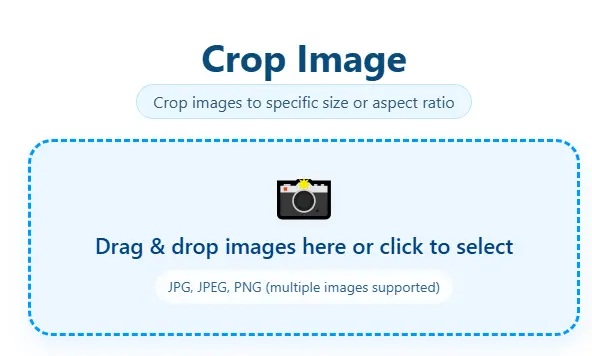
Step 2: Select Your Crop Area
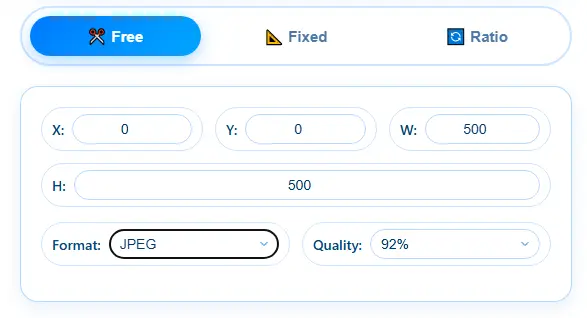
You can choose from preset aspect ratios (Square, 4:3, 16:9) or use “Free Crop” mode to manually select any custom area.
Step 3: Apply and Download
Once you’ve framed your shot perfectly, click “Crop Image”. Your newly trimmed photo will be ready for instant download no watermarks, no hassle!
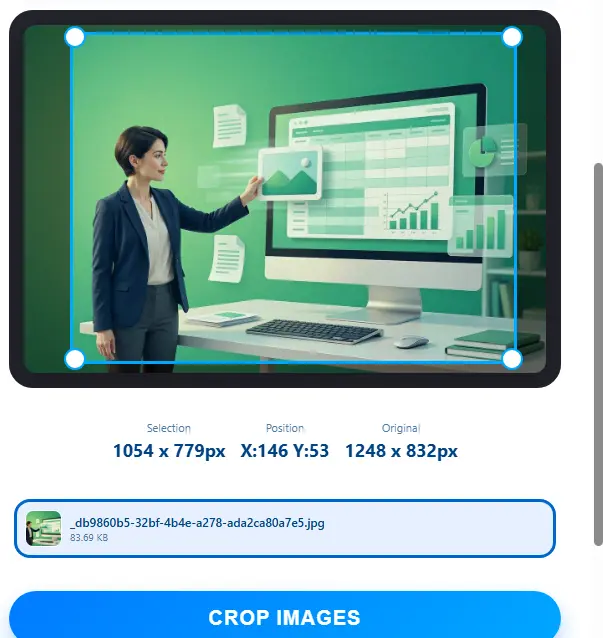
Features of CombineJPG.com Photo Cropper
- 100% Free & Unlimited: Crop as many images as you need without any hidden costs.
- Original Quality Preserved: Cropping only removes edges the remaining pixels are never touched or recompressed
- Preset Ratios: Quickly crop to square (1:1) or other standard sizes for professional social media posts.
- Privacy First: Your images never leave your browser everything is processed locally on your device nothing is ever uploaded to any server.
How to Crop Image to Exact Pixel Size
Sometimes “close enough” is not enough. Passport photos, government ID uploads, university admission forms they all demand exact dimensions like 600×600px or 413×531px.
Here’s how to do it:
- Upload your image
- Switch to “Fixed Size” mode
- Enter your required width and height in pixels
- The crop box locks to those exact dimensions
- Position it over the area you want to keep
- Click Crop and download
Your image will be exactly the dimensions you entered pixel-perfect, every time.
How to Crop Passport Photo to Correct Size Online
Different countries require different passport photo dimensions:
| Country | Size Required |
|---|---|
| USA Passport / Visa | 2×2 inch (600×600px) |
| UK Passport | 35×45mm |
| Schengen Visa | 35×45mm |
| India Passport | 51×51mm |
| Pakistan NADRA | 35×45mm |
| Canada Passport | 50×70mm |
Upload your photo, select “Fixed Size” mode, enter your country’s required dimensions, and download. No photo studio needed.
Standard Aspect Ratios for Social Media
| Platform | Recommended Crop Size | Ratio |
|---|---|---|
| Instagram Profile | 320×320px | 1:1 |
| Instagram Post | 1080×1080px | 1:1 |
| Instagram Story | 1080×1920px | 9:16 |
| YouTube Thumbnail | 1280×720px | 16:9 |
| Facebook Cover | 820×312px | ~2.6:1 |
| LinkedIn Profile | 400×400px | 1:1 |
| Twitter/X Header | 1500×500px | 3:1 |
| WhatsApp Profile | 192×192px | 1:1 |
| USA Passport Photo | 600×600px | 1:1 |
| UK Passport Photo | 413×531px | 35:45 |
Frequently Asked Questions (FAQ)
How can I crop an image online for free?
Simply upload your photo to CombineJPG.com, adjust the crop box to your desired area, and hit download. It’s 100% free and requires no signup.
Can I crop a PNG image and keep the transparency?
Yes! Our tool supports PNG files and preserves transparency while you crop images online.
Is it possible to crop photos to a specific size?
Absolutely. You can use our aspect ratio presets or manually enter dimensions to get the exact frame you need.
How do I crop a photo to a square shape?
After uploading your photo, select the “1:1 Square” preset from our crop options. This will automatically lock the selection box into a perfect square.
How do I crop an image to a specific size in pixels?
Switch to “Fixed Size” mode in our tool, enter your required width and height, and the crop box will automatically lock to those exact dimensions.
Can I crop multiple images at once?
Yes. Our tool supports batch cropping — upload multiple JPG or PNG files and apply the same crop settings to all of them at once.
Does cropping reduce image quality?
No. Cropping only removes pixels from the edges — the remaining area keeps its full original quality. No compression happens during cropping.
How do I crop a photo for a passport or visa application?
Use the “Fixed Size” mode, enter your required dimensions (for example 600×600 pixels for a US passport photo), position the crop box over your face, and download.