
Compress JPG to 20KB
Reduce JPEG size online free – Fast & 100% Private
Drag & drop images here or click to select
Supports JPG, JPEG | Multiple files allowedCompress JPG Online Free — Reduce JPEG File Size Without Losing Quality
You know that exact moment you have the perfect photo ready to upload, and the form throws back: “File size exceeds the limit.”
It happens everywhere when you fill Visa applications, University admissions, Job portals,Email attachments. Even WhatsApp refuses to send your original photo without crushing the quality first.
Here is the reality modern smartphone cameras produce images between 3MB and 8MB. But most online forms cap uploads at 20KB, 50KB, or 200KB. That gap is the problem and downloading Photoshop just to fix it makes zero sense.
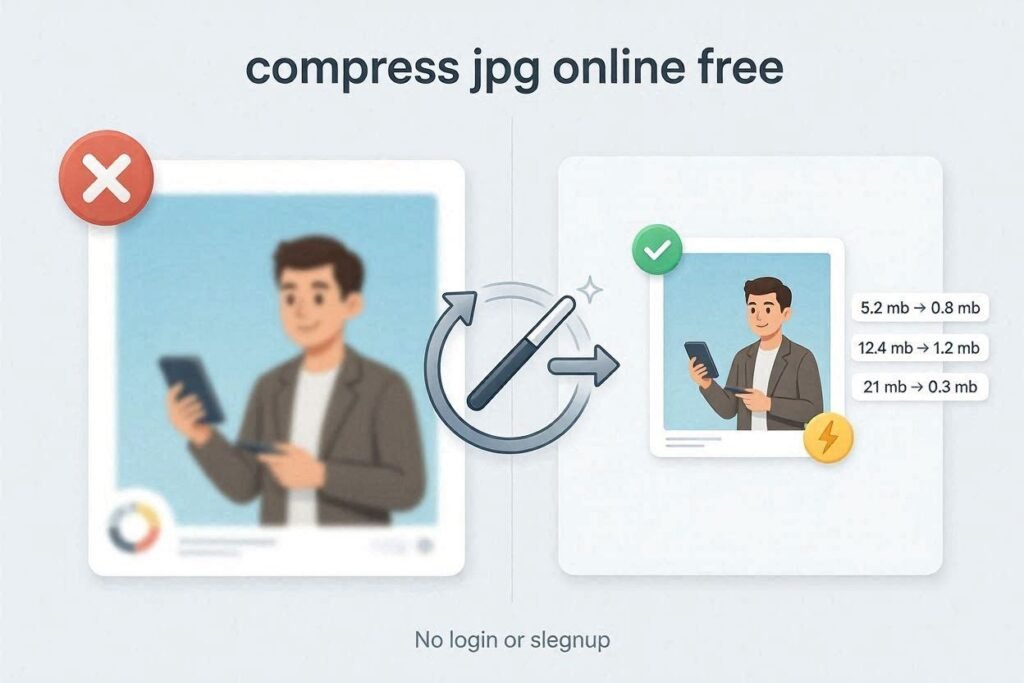
CombineJPG.com solves this in under 30 seconds. Our free JPG compressor runs entirely in your browser, which means your files never touch a server. No upload. No signup. No watermark. A 5MB photo becomes 50KB and the difference is invisible to the human eye.
In this guide, you will learn exactly how to compress JPG to 20KB, reduce JPEG file size without losing quality, and bulk compress multiple images at once — all without installing a single piece of software.
What Is a JPG Compressor?
Simply put, a JPG compressor is a tool that makes your image files smaller without ruining the quality.
Think of it like packing a suitcase. You want to fit everything inside, but you need to remove the empty space and fold things neatly. That’s exactly what compression does it removes redundant data from your image so the file size shrinks, but the picture still looks the same to the human eye.
A good image size reducer can shrink a 10MB photo down to 200KB or even 20KB with almost no visible difference.
Why You Need to Compress JPG Files Online
In the world of SEO, web performance, and everyday convenience every kilobyte counts. When you shrink image file size, you benefit in several major ways:
Blazing Fast Load Times
Smaller images make your website load faster. Google loves fast websites. Faster websites rank higher in search results. It’s that simple.If your blog or business website has heavy images, you’re losing visitors and customers before they even see your content.
Easy Social Sharing
Ever tried to upload a photo to WhatsApp, Instagram, or Twitter and got the “file too large” error? It’s embarrassing and frustrating.When you compress JPEG online, you can share your memories instantly without any hiccups.
Save Storage Space
Your phone’s storage is limited. Your cloud storage (Google Drive, iCloud, Dropbox) costs money.By using a JPEG compressor free online, you can clear up gigabytes of space on your smartphone or cloud storage by optimizing your entire gallery.
Better Email Delivery
Nothing is more annoying than attaching a photo to an email, hitting send, and getting a bounce-back: “File too large. Max attachment size is 10MB.”When you reduce JPG size free, your photos sail through email servers without issues.
Perfect for Online Forms
Government portals, university admissions, job applications, visa forms – almost every online form has a file size limit. Often as low as 20KB, 50KB, or 100KB.With the right tool, you can compress JPG to 20KB or compress JPEG to 100KB easily.
How to Compress JPEG Online (3 Simple Steps)
Our smart JPG compression process is incredibly straightforward. You don’t need to be a tech expert. You don’t need Photoshop. You just need Combine JPG.
Step 1: Upload Your JPG/JPEG
Click the “Upload” button or drag and drop your files directly into the browser.You can select multiple images to perform bulk JPG compression all at once. Yes – batch processing is completely free.
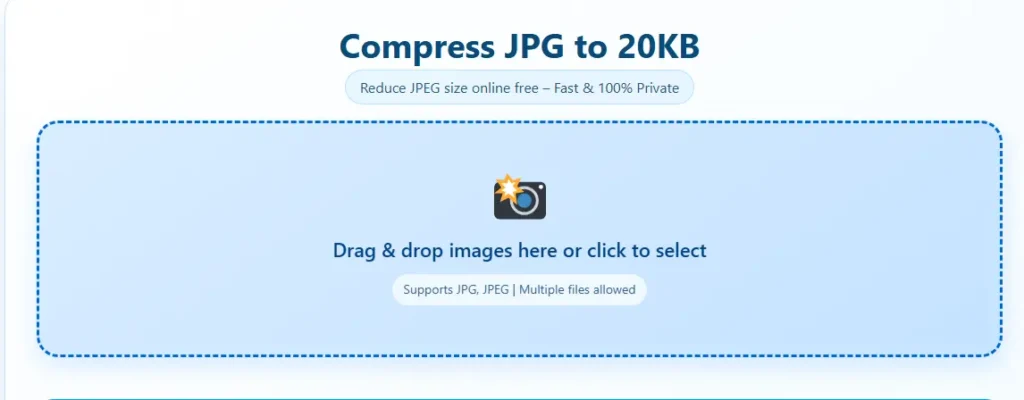
Step 2: Choose Compression Level
Select your preferred quality level.
- Low compression – minimal file size reduction, maximum quality
- Balanced (Recommended) – perfect for most users. It significantly reduces the size while keeping the image looking sharp to the naked eye
- Maximum compression – get the smallest file possible, ideal for 20KB targets
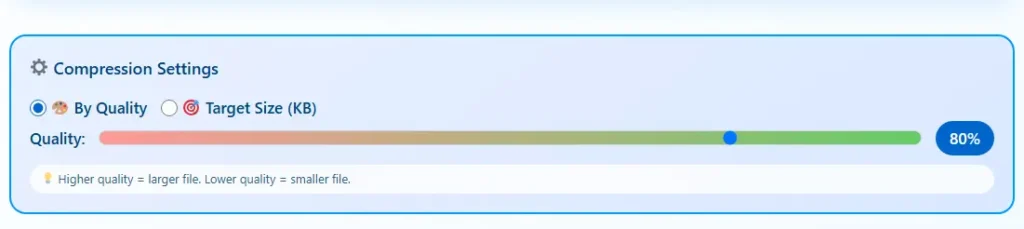
Our tool allows you to easily compress JPEG to 100KB or even 20KB by adjusting the quality slider. You’ll see the estimated file size update in real-time.
Step 3: Optimize and Download
Click “Compress JPG”. Our algorithm will work its magic, and your optimized files will be ready for instant download.
That’s it. Less than 30 seconds from start to finish.
What Makes CombineJPG.com the Best JPG Optimizer?
We have tested dozens of image compressors most are slow, unsafe, or filled with ads and watermarks.We don’t just “squeeze” images. Here are pro tips from our team
Smart Compression Technology
Our tool identifies redundant data in your images and removes it strategically. This allows you to compress JPEG to 100kb or even 20kb without pixelation or visible quality loss.
Unlike basic compressors that just throw away pixels, our algorithm preserves the important details – faces, text, edges – while discarding what you won’t miss.
100% Privacy & Security
This is a big one.
Most “free” online compressors upload your files to their servers. Your private photos – maybe your passport, your ID card, your family pictures – end up on some stranger’s server.
Not with Combine JPG.
Your privacy is non-negotiable. Files are processed securely in your browser and deleted automatically within 60 minutes. Nothing is ever stored on our servers.
No Watermarks or Fees
Get professional-grade results for free. Forever.We never add watermarks to your optimized photos. No “Pro” paywalls. No hidden fees. No credit card required.
Batch Processing Power
Don’t waste time compressing one image at a time.Upload your entire folder and let us handle the rest. Our tool supports bulk JPG compression so you can optimize hundreds of photos in seconds.
Works Anywhere, Any Device
On your phone? On a laptop? On a Chromebook in a coffee shop?
Open combinejpg.com in any browser on any device. No app to download. No software to install. Works on Windows, Mac, Linux, iPhone, Android, and iPad.
📊 Comparison: Original vs. Compressed JPG
| Feature | Original High-Res JPG | Compressed JPG (Optimized) |
|---|---|---|
| File Size | 5 MB – 10 MB | 20 KB – 500 KB |
| Loading Speed | Slow (3-5 seconds) | Instant (< 1 second) |
| Visual Quality | 100% | 95% – 99% (No visible difference for web use) |
| Email Friendly | ❌ Too large | ✅ Perfect |
| SEO Impact | Negative (Slow page) | Positive (Fast page) |
| Storage Space | Eats gigs | Saves gigs |
The difference is night and day – but your eyes won’t notice the quality change.
How to Compress JPG to a Specific Size (20KB, 50KB, 100KB)
One of the most common questions I get is: “Can I compress my image to an exact size like 20KB?”
Yes,. Here’s exactly how:
To compress JPG to 20KB:
- Upload your image to Combine JPG
- Use the quality slider and watch the estimated file size display
- Adjust until you see 20KB or slightly below (19KB–20KB is perfect)
- If you can’t reach 20KB even at lowest quality, resize your image dimensions first (try 300×300 pixels)
- Download and upload anywhere
To compress JPEG to 100KB:
Same process – just aim for 100KB on the slider. Most photos will hit 100KB easily without any visible quality loss.
Pro tip for 20KB:
For very small targets like 20KB, crop and resize first. A 4000×3000 pixel image starting at 5MB will struggle to hit 20KB without looking terrible. But if you resize to 400×400 pixels first? Much easier and the result will look perfectly fine for profile photos and thumbnails.
JPG vs PNG: Which One Compresses Better?
| Format | Best For | Compression Result |
|---|---|---|
| JPG/JPEG | Photos, real-life images, gradients | Compresses very well. Can go from 10MB to 50KB easily. |
| PNG | Logos, text, screenshots, transparent images | Compresses poorly for photos. PNG is already compressed. |
Bottom line: If you’re compressing a photo, use JPG. If you have a PNG photo, convert it to JPG first for much better results.
Frequently Asked Questions (FAQ)
How much can I reduce my JPG file size?
On average, our JPG compressor can reduce JPG size by 70% to 90% depending on the original image’s complexity – all while keeping the quality intact for web use.
A 10MB photo can become 500KB. A 500KB photo can become 50KB. The more detail in the original, the more we can compress.
Is it safe to compress private photos here?
Yes, CombineJPG.com uses SSL encryption. Your files are never shared with third parties and are permanently deleted from our temporary cache after an hour.
Even better: Unlike other tools that upload your files to servers, our browser-based technology keeps your images local whenever possible.
Does compressing a JPG make it blurry?
Not with our tool! We use smart compression technology that identifies what’s important in your image (faces, text, edges) and preserves those details while removing redundant data.
For the first few compression levels, the human eye cannot detect any loss in detail. Only when you push to extreme levels (like 20KB from a 10MB photo) will you see changes – but for profile photos and thumbnails, even that looks fine.
Can I compress JPG to a specific size, like 50kb or 100kb?
Yes. While the final file size depends on the original content (a simple logo compresses more than a complex landscape), choosing the right quality setting in our tool will help you reach your target size like compressing JPEG to 100kb or 20KB easily.
Use the real-time size preview to dial in exactly what you need.
Is this really free? Any limits?
Completely free. No limits. Compress one image or one thousand. No “Pro” upgrade. No credit card. No watermarks. No tricks.
Can I use this on my phone?
Yes. Open combinejpg.com in any browser on iPhone, Android, or iPad. Works perfectly on touch screens.
What’s the difference between compressing and resizing?
Resizing changes the dimensions (e.g., 4000×3000 pixels → 800×600 pixels). Compressing keeps the same dimensions but reduces file size by removing data.
For best results (especially for targets like 20KB), do both: resize first, then compress.
Expert Tips for Image Optimization
Here are some pro tips I’ve learned after years of working with images:
Use the Right Format
Only compress JPGs for photographs. For logos with transparency, use PNG (but PNG doesn’t compress as well). For web, WebP is newer but not universally supported yet. JPG is still the safest bet.
Don’t Re-Compress
Try to compress the original high-quality file once, rather than compressing a file that has already been shrunk multiple times.
Each time you compress, you lose a tiny bit of quality. One pass at 70% quality looks better than two passes at 85% each.
Check Dimensions First
If an image is 4000px wide but your website only displays it at 400px wide, you’re wasting bandwidth.Use an image resizer first to get the dimensions right, then compress for the best results.
Save Your Originals
Always keep the original high-resolution version somewhere safe (external hard drive, cloud backup). The compressed version is for sharing and uploading. The original is for printing and future editing.
Batch Process When Possible
If you have dozens or hundreds of images, don’t do them one by one. Use batch processing to compress everything at once with the same settings.Combine JPG supports bulk uploads – just select multiple files and let the tool handle the rest.
If your image is too large even after compression, try our free Image Resizer to reduce dimensions first, then compress again for best results.
Combine JPG vs Competitors (iLovePDF, TinyJPG, etc.)
I get asked this a lot: “Why should I use Combine JPG instead of X tool?”
Here’s the honest comparison:
| Feature | Combine JPG | iLovePDF | TinyJPG/TinyPNG |
|---|---|---|---|
| Free to use | ✅ | Limited | Limited |
| No upload required | ✅ | ❌ | ❌ |
| No file size limits | ✅ | ❌ (often capped) | ❌ (capped) |
| Batch processing | ✅ | Paid feature | Paid feature |
| No watermarks | ✅ | ✅ | ✅ |
| Privacy-focused | ✅ (100% browser-based | ❌ | ❌ |
| Real-time size preview | ✅ | ❌ | ❌ |
| Target specific size (20KB) | ✅ | ❌ | ❌ |
The bottom line: Most compressors are fine for casual use. But if you need privacy, batch processing, or exact size targeting (like 20KB), Combine JPG is the better choice.
Real-World Use Cases for Image Compression
Who actually needs a JPEG compressor free online? Let me break it down:
Website Owners & Bloggers
Every image on your site slows it down. Compressed images = faster site = better SEO = more visitors. It’s not optional anymore – it’s essential.
Photographers
Sending full-resolution photos to clients? Stop. Send compressed previews first. They load faster and protect your work.
Job Seekers
Resume portals, LinkedIn, company application systems – all have file size limits. Compress your headshot before uploading.
Travelers
Visa applications, passport renewals, ESTA, ETA – almost every government portal requires compressed photos. Often as small as 20KB.
Students
College applications, scholarship forms, student ID submissions. Don’t get rejected because your photo was “too large.”
Everyday Users
Your phone is full? Compress your old photos. Keep the memories, lose the gigabytes.
Final Words
You don’t want to learn complicated software. You don’t want to read a 50-page manual. You don’t want to pay for a “Pro” subscription just to shrink a photo.You just want to upload your picture without getting an error message.And that’s exactly what Combine JPG is built for.Fast. Free. Secure. Private. And it actually works.
Our JPG compressor is trusted by users around the world because it delivers results without the headaches.
Next time you see that annoying “file too large” message, don’t panic. Don’t waste time searching for sketchy tools. Don’t give your email address to some random website.Just open CombineJPG.com, drop your photo in, and download your compressed file in seconds. That is what this tool was built for.