
Rotate Image
Upload → Preview → Adjust & Download
Click or drag images here
JPG, PNG · Multiple files allowedRotate Image Online in 1 Second – Free & Lossless
We’ve all been there. You take the perfect shot beautiful lighting, great composition, everyone smiling. Then you upload it somewhere, and boom. It’s sideways. Or worse, completely upside down.Don’t panic. And please, don’t download expensive software just to turn images around.
At CombineJPG, we built a free image rotator that fixes crooked photos in seconds. No signup. No watermarks. No quality loss. Just upload, rotate photo, and download.Let me show you why this little tool is a game-changer.
Why You Need a Reliable Photo Rotator?
Let’s be real. Your phone’s auto-rotate feature isn’t perfect. Scanners sometimes go crazy. And screenshots? Don’t even get me started.
Here are the most common situations where people search for “rotate image online”:
📄 1. Scanned Documents Gone Wrong
You scan a contract, receipt, or school assignment. But the PDF comes out sideways or upside down. Instead of rescanning (wasting time), just use our rotate JPG free tool. Upload, click once, and it’s fixed.
📱 2. Smartphone Photos That Won’t Cooperate
You take a portrait photo. But when you email it or upload to a website, it shows as landscape. This happens because of EXIF metadata confusion. Our tool “bakes” the correct orientation directly into the image file.
🎨 3. Creating Mirror Effects for Art
Sometimes you don’t want to rotate—you want to mirror image online. Photographers use horizontal flips to change composition. Graphic designers use vertical flips for symmetry. Our photo rotator does both.
📸 4. Social Media Prep
Instagram, LinkedIn, Facebook—they all prefer upright photos. A crooked image looks unprofessional. One click with our image rotator, and you’re ready to post.
🧠 5. Fixing “Selfie” Mirroring
Ever notice how your face looks different in selfies? That’s because phone cameras mirror the image. Use our flip image online feature to see how the world actually sees you.
How to Rotate an Image Online (3 Simple Steps)
I hate complicated tools. That’s why I made this turn images tool dead simple.
Step 1: Upload Your Image
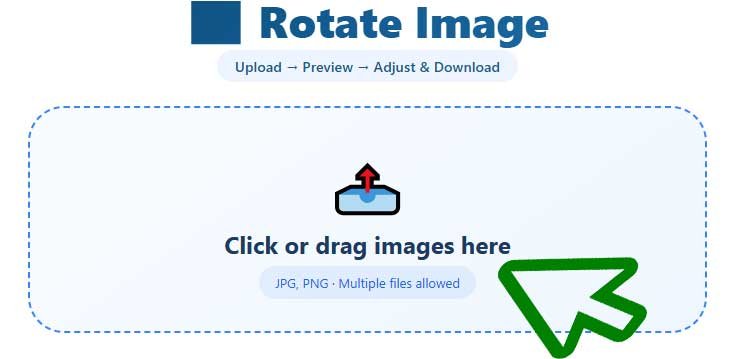
Click the upload area above. Or just drag and drop. Works with JPG, PNG, and WebP. Even portrait image files work perfectly.
Step 2: Rotate or Flip
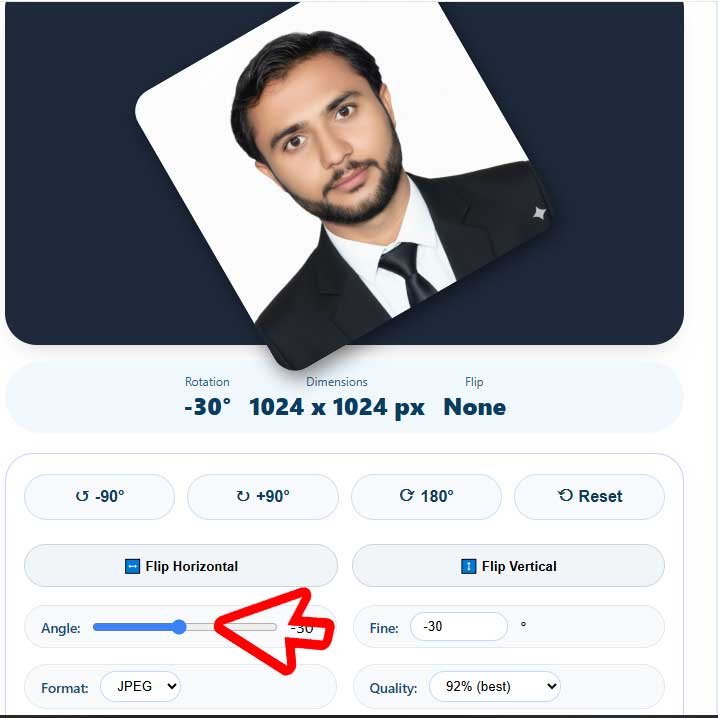
You’ll see your image in the preview area. Below it, you’ll find:
- Quick buttons: Rotate 90° left, 90° right, or 180°
- Flip horizontal: Create a mirror effect
- Flip vertical: Flip upside down
- Angle slider: Fine-tune any angle you want
Want to rotate photo by exactly 37 degrees? Use the fine-tune input. Want to rotate JPG by 90° increments? Click the quick buttons.
Step 3: Download Your Fixed Image
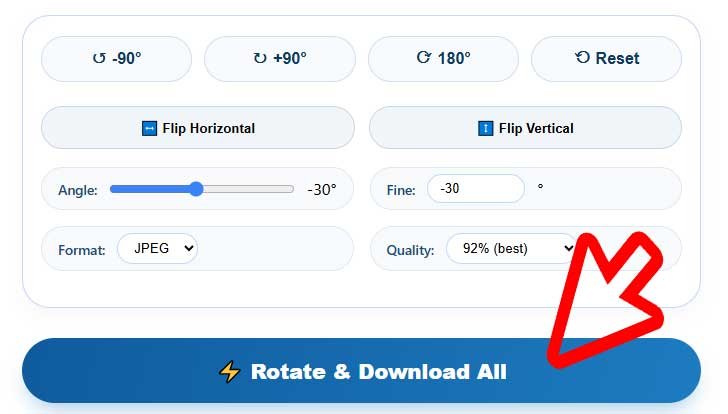
Click “Rotate & Download All.” Your image saves instantly. No waiting. No “processing” queues.
That’s it. You just learned how to rotate image online in less than 30 seconds.
Rotation Options Explained (With Examples)
Not sure which option to use? Let me break it down like you’re five.
| Action | What It Does | When to Use It |
|---|---|---|
| Rotate 90° Right | Turns image clockwise | Fixing landscape photos that should be portrait |
| Rotate 90° Left | Turns image counter-clockwise | Fixing portrait photos saved as landscape |
| Rotate 180° | Flips upside down | Correcting scanned documents |
| Flip Horizontal | Mirrors left to right | Selfie correction, creative mirror effects |
| Flip Vertical | Mirrors top to bottom | Artistic reflections, abstract edits |
| Custom Angle | Any degree (1° to 360°) | Precise alignment for product photos |
Pro tip: Use flip horizontal for selfies. Use rotate 180° for upside-down PDFs. Use custom
Features of CombineJPG.com Image Rotation Tool You’ll Love
Most image rotator tools are bare-bones. Ours? We packed it with features that pros actually use.
Lossless Rotation (Zero Quality Loss)
Some tools re-compress your image every time you rotate. That destroys quality. Our rotate image leetcode-level algorithm preserves every single pixel. Your before and after will look identical.
Batch Processing
Got 20 photos from a wedding that are all sideways? Upload them all at once. Our tool applies the same rotation to every image. Download them as individual files. Huge time saver.
Multiple Format Support
- JPEG / JPG
- PNG (with transparency preserved)
- WebP
Privacy First
Your images never leave your browser. We don’t upload them to any server. Once you close the tab, everything is gone. No one else sees your photos.
Mobile Friendly
Works perfectly on iPhone, Android, iPad, and any tablet. No app to download. Just open your browser and girar imagen (that’s “rotate image” in Spanish) instantly.
Frequently Asked Questions (FAQ)
How can I rotate an image online for free?
Just upload your file to the tool above. Use the rotation buttons or flip options. Click download. No credit card, no email signup, no hidden fees.
Will rotating my JPG reduce quality?
Not with our tool. We use lossless rotation algorithms. Your image stays exactly as sharp as the original. Even after multiple rotations.
Can I flip an image horizontally to create a mirror effect?
Yes! Click the “Flip Horizontal” button. Your photo rotator instantly mirrors the image. Great for fixing selfies or creating symmetrical art.
Does this work for portrait images?
Absolutely. Our portrait image handling is automatic. The tool detects orientation and preserves aspect ratio. No weird stretching.
Can I rotate a PNG with transparency?
Yes! PNG transparency (alpha channel) is fully preserved. Your transparent backgrounds stay transparent.
What does “rotat” mean?
“Rotat” is just a shorthand for rotate. People often search “rotat” when typing fast. Our tool covers all variations.
Is this better than Photoshop?
For simple rotation and flipping? 100% yes. Photoshop costs $20/month and takes 2 minutes to open. Our image rotator works instantly and costs nothing.
Pro Tips for Perfect Image Orientation
Tip 1: Check Your Metadata First
Sometimes photos look correct on your phone but wrong on a PC. That’s metadata confusion. Our tool “bakes” the rotation into the actual pixels. Once you download, it’ll look correct everywhere.
Tip 2: Use Mirror for Better Composition
Professional photographers often flip landscape photos horizontally. Why? Because Western eyes naturally scan left to right. Flipping can make a photo feel more balanced.
Tip 3: Batch Similar Images
If you scanned a 50-page document and every page is upside down, upload all 50 images. Set rotation to 180°. Download all at once. Done in 1 minute.
Tip 4: Fine-Tune for Product Photos
Selling on eBay or Amazon? Product photos need to be perfectly aligned. Use our custom angle slider to straighten by 1° or 2°. Small adjustments make a big difference.
CombineJPG vs Other Rotate Tools
| Feature | CombineJPG | Photoshop | Free Competitors |
|---|---|---|---|
| Price | $0 | $20/month | $0 |
| Lossless Rotation | ✅ | ✅ | ❌ (most re-compress) |
| Batch Processing | ✅ | ✅ | ❌ |
| Flip Horizontal/Vertical | ✅ | ✅ | ❌ |
| Custom Angle | ✅ | ✅ | ❌ |
| No Signup | ✅ | ❌ | ❌ (many require email) |
| Mobile Friendly | ✅ | ❌ | ❌ |
| Privacy (local processing) | ✅ | ❌ | ❌ |
See the difference? We built this rotate photo tool because we were tired of bad alternatives.
Real Use Cases (From Our Users)
Case 1: The Real Estate Agent
“I take 50 photos per property. Half of them are sideways because I hold my phone wrong. This tool saved me 2 hours last week.” — Mark, Realtor
Case 2: The Student
“My professor only accepts PDFs. I scanned my notes upside down. Used this rotate image online tool and submitted on time.” — Sarah, College Student
Case 3: The Etsy Seller
“I sell digital downloads. Product photos need to be perfect. The flip horizontal feature helped me create mirror versions for comparison shots.” — Jessica, Shop Owner
Technical Details (For the Curious)
How does rotate image leetcode-style rotation work? We use canvas API with bicubic interpolation. But you don’t care about that. You just want your photo fixed.
What matters:
- EXIF preservation: We keep your camera data intact
- Color profile: sRGB and Adobe RGB both supported
- Max file size: 50MB per image (enough for any photo)
- Resolution: Unlimited (we don’t downscale)
Final Thoughts
Look, I could write another 1000 words. But here’s the truth:
You have a crooked photo. You want it straight. Our tool does that in seconds.
- No learning curve. No subscriptions. No quality loss.
- Just upload, turn images to the right orientation, and download.
- Try it right now. Upload any photo above. Click rotate 90°. See how fast it works.
- If you love it (and you will), bookmark this page. Share it with a friend who always sends sideways vacation photos.
- And if you have feedback? I’m all ears. We built this image rotator for you.
Ready to fix your photo? Scroll up, upload your image, and rotate it in 1 second. Free. Forever.