
Combine JPG to PDF Online Free
Merge multiple JPG or PNG images into one PDF file — no signup required
Drag & drop images or click to select
JPG, JPEG, PNG → PDFCombine JPG to PDF – Merge Multiple JPG Images into One PDF Free
Combine JPG to PDF free online no software, no watermark, no signup required. Whether you need to merge 2 images or 50+, CombineJPG’s browser-based JPG to PDF converter handles everything instantly.
Sharing 10, 20, or even 50 separate JPG files is messy and unprofessional. A single clean PDF is the smarter choice for school submissions, client proposals, visa applications, insurance claims, and more. That is why millions of people search for combine JPG to PDF or merge JPG to PDF every single day.
At CombineJPG.com, we built the fastest, safest, and most private JPG to PDF merger online completely free, forever. No watermarks. No daily limits. No registration. Ever.
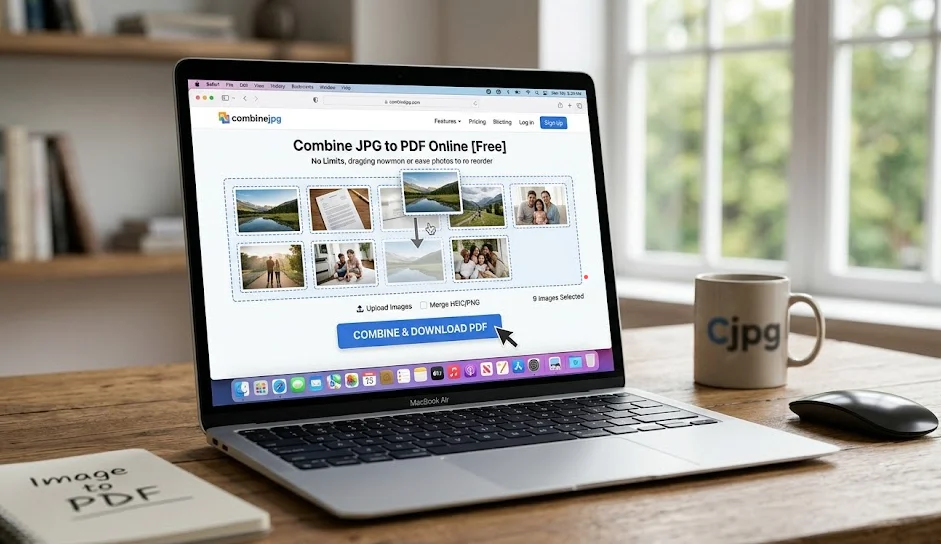
What Does “Convert JPG to PDF” Mean?
When you convert JPG to PDF, you take two or more JPG images and combine them into a single, shareable PDF document.
For example:
- You have 10 photos of a house → merge them → send 1 clean PDF to your client
- You have handwritten notes → combine JPG files into one PDF → submit for school
- You have passport photo + bank statement → merge into PDF → upload to government portal
People search for this in many ways combine JPG to PDF, merge JPG to PDF, join JPG to PDF, JPG to PDF combiner, convert pictures to PDF. All mean the same thing: turning multiple images into one organized PDF file.
Why Convert JPG to PDF? (Top Reasons)
Stop sending loose image files. Here is why thousands of users convert JPG to PDF every day:
- Professional Presentation: One clean PDF instead of 10 attachments — essential for business invoices, client portfolios, and legal submissions.
- Universal Compatibility: A PDF looks identical on every device — iPhone, Android, Windows, Mac. No more rotated photos or broken image previews.
- Easy to Share & Email: PDFs are smaller and more organized. Our tool compresses without quality loss, making files email-ready.
- Security & Archiving: PDFs can be password-protected. Standard JPG files cannot.
- Required by Official Portals: Most government, visa, and university portals require PDF uploads — not loose image files.
How to Merge JPG to PDF Online for Free (Step-by-Step)
No technical skills needed. Follow these 4 simple steps to combine JPG to PDF free online in under 30 seconds:
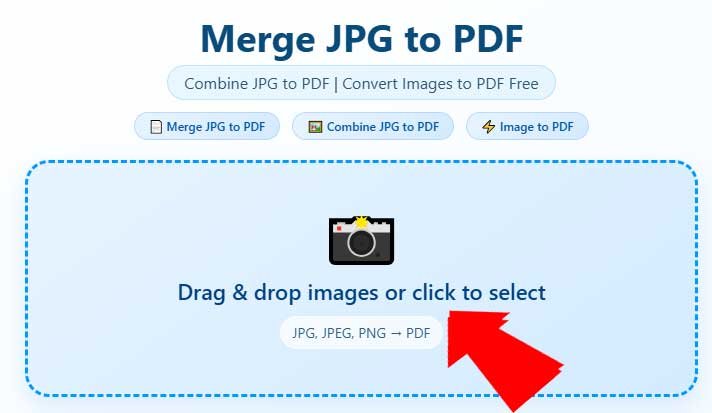
Step 1: Upload Your JPG Images
Click the upload area or drag and drop your files directly. CombineJPG accepts JPG, JPEG, PNG, HEIC, and WebP — mix any formats in one PDF.
Step 2: Arrange in the Correct Order
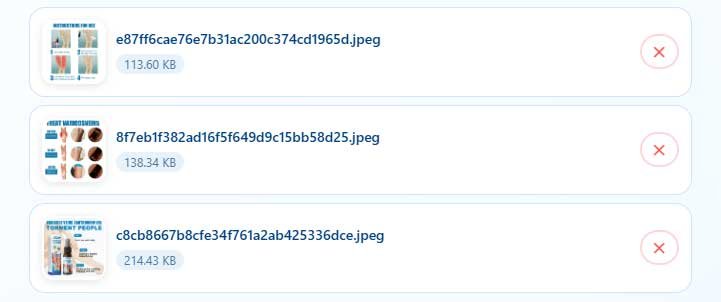
Once uploaded, you’ll see thumbnails of all your images.
Click and drag to reorder them. This is important for:
- Photo albums
- Contracts
- Step-by-step guides
- Resumes
Step 3: Adjust Settings (Optional)
Choose page size (A4, Letter, Legal), orientation (Portrait or Landscape), and margins. Or keep defaults for instant results.

You can also set margins if needed.
Step 4: Merge & Download
- Click the “Merge JPG to PDF” or “Combine to PDF” button.
- Our high-speed server processes your files in 2–3 seconds.
- Then click “Download” — and you’re done!

That’s how to combine JPG files into one PDF in under 30 second
Convert JPG to PDF on iPhone & Android (Free, No App)
No app download needed. Here is how to convert JPG to PDF on mobile for free:
On iPhone (iOS):
- Open Safari or Chrome → go to combinejpg.com/combine-jpg-to-pdf/
- Tap the upload area → select “Photo Library”
- Choose your JPG photos
- Tap “Merge JPG to PDF”
- Tap Download — saved to your Files app
Works perfectly on iPhone 12, 13, 14, 15, and all iOS versions. No iLovePDF app, no Adobe subscription needed.
On Android:
- Open Chrome → go to combinejpg.com/combine-jpg-to-pdf/
- Tap upload → select photos from Gallery
- Arrange, tap Convert, Download to your phone
Convert HEIC to PDF on iPhone: Our tool automatically handles HEIC files no separate converter needed. Upload HEIC photos directly and get a clean PDF instantly.
Key Features of Our Combine JPG to PDF Online Converter
✅ 100% Free — No Hidden Costs, No Daily Limits
Most “free” tools limit you to 2 conversions per day (Smallpdf) or add watermarks on free plans (iLovePDF). CombineJPG is genuinely unlimited — no credit card, no trial, no paywall. Ever.
✅ No Watermark — Ever
Your output PDF is 100% clean. Suitable for legal submissions, client presentations, college assignments, and official documents.
✅ No Registration or Signup
We do not ask for your email, name, or phone number. Upload → Merge → Download. That is it.
✅ Complete Privacy — Files Never Leave Your Browser
All processing happens directly in your browser. Your images are never uploaded to any server. Unlike cloud-based tools, your files never leave your device — ensuring maximum privacy for sensitive documents.
✅ Works on Every Device & OS
- Windows 10/11 — no software installation needed
- Mac (macOS) — works in Safari, Chrome, Firefox
- iPhone & Android — full mobile browser support
- Linux — works perfectly in any browser
✅ Merge Unlimited Images — No File Size Limit
Combine 2 images or 200+ images into one PDF. No “file too large” errors. No daily caps.
✅ Lossless Quality — Original DPI Preserved
We do not compress your images. Your PDF will look exactly as sharp and clear as your original JPG files.
CombineJPG vs Smallpdf vs iLovePDF vs Adobe — Why We Win
There are many JPG to PDF tools online. Here is the honest comparison:
| Feature | CombineJPG | Smallpdf | iLovePDF | Adobe Acrobat |
|---|---|---|---|---|
| 100% Free | ✅ Yes | ❌ 2/day limit | ❌ 10 files max | ❌ Paid subscription |
| No Watermark | ✅ Always | ⚠️ Limited | ⚠️ Paid only | ❌ Requires account |
| No Registration | ✅ Never required | ⚠️ Sometimes | ⚠️ Sometimes | ❌ Always required |
| Unlimited Files | ✅ Yes | ❌ No | ❌ No | ✅ Paid only |
| Files Stay on Device | ✅ Browser-based | ❌ Cloud upload | ❌ Cloud upload | ❌ Cloud upload |
| Mobile Support | ✅ Full | ✅ Yes | ✅ Yes | ✅ Yes |
| File Deletion | ✅ Never stored | ⚠️ 1 hour | ⚠️ Stored longer | ⚠️ Cloud storage |
The verdict: If you want a Smallpdf alternative with no limits, a free iLovePDF alternative with no watermark, or an Adobe Acrobat alternative without signup CombineJPG is your answer.
Who Uses JPG to PDF? Real Use Cases
1. Students – Submitting Assignments
Search: “how to combine pictures of notes into one PDF” Students photograph whiteboards, handwritten notes, or textbook pages. Instead of attaching 15 blurry images, they combine JPG to PDF and submit one clean document.
2. Real Estate Agents – Property Listings
Search: “combine photos of house into one document” Agents photograph 20–30 rooms and merge all JPG photos into one PDF to send to clients and insurance adjusters.
3. Visa & Government Applications
Search: “how to merge passport photo and documents into PDF” Government portals require single PDF uploads. Users combine JPG to PDF — passport photo + bank statement + utility bill — all in one file.
4. E-commerce Sellers – Product Catalogs
Search: “convert product photos into PDF catalog” Sellers photograph products from multiple angles and merge JPG to PDF online to create clean wholesale catalogs.
5. Insurance Claims – Damage Documentation
Search: “combine photos of car damage into one PDF” After accidents, users merge damage photos into a single PDF for faster insurance claim processing.
6. Legal Professionals – Evidence & Documents
Search: “how to combine JPG files into one PDF for court” Lawyers and paralegals merge scanned documents and photos into organized PDF submissions.
7. Photographers – Client Proof Sheets
Search: “combine JPG to PDF for client delivery” Photographers merge 50+ preview images into one PDF proof sheet for client review.
Advanced Tips for the Best JPG to PDF Results
Tip 1: Name Files Numerically Before Uploading
- Rename files as 01_photo.jpg, 02_photo.jpg, 03_photo.jpg before uploading — makes ordering instant and error-free.
Tip 2: Check Resolution First
- A blurry JPG creates a blurry PDF. Make sure your images are clear before converting.
Tip 3: Rotate Images Before Uploading
- Rotate any sideways images on your phone or PC first — saves editing time after.
Tip 4: Use Landscape for Wide Images
- Panoramas, screenshots, and wide images look better in Landscape orientation. Select it in settings before merging.
Tip 5: Compress Large Images First
- If your PDF needs to be email-sized, use our free Compress JPG tool before merging to reduce file size without losing quality.
Tip 6: Mix Formats Freely
- You can upload JPG, PNG, HEIC, and WebP together in one PDF. No need to convert them individually first.
Frequently Asked Questions (FAQ)
How do I combine JPG to PDF without losing quality?
Our tool uses lossless conversion. When you convert JPG to PDF on CombineJPG, we preserve the original DPI and resolution. Your PDF will look exactly like your original images — sharp, clear, and print-ready.
Is it safe to use an online JPG to PDF converter?
Yes CombineJPG processes files directly in your browser. Your images never get uploaded to any server. There is nothing to intercept. We use SSL encryption for all connections and store absolutely nothing.
Can I merge PNG and JPG together into one PDF?
Yes. Our converter accepts JPG, JPEG, PNG, HEIC, and WebP. You can mix all formats in one PDF without any separate conversion step.
How do I convert JPG to PDF on iPhone for free?
Open combinejpg.com/combine-jpg-to-pdf/ in Safari or Chrome. Tap upload, choose from Photo Library, arrange, and tap convert. No app download needed. Works on all iPhone models.
How do I convert JPG to PDF on Android for free?
Open Chrome on your Android phone, go to combinejpg.com/combine-jpg-to-pdf/, upload from your Gallery, and download your PDF. Completely free, no app needed.
Is there a limit on how many JPG files I can convert?
No. While tools like Smallpdf limit free users to 2 conversions per day and iLovePDF caps files at 10, CombineJPG has zero limits. Convert 2 files or 200 files — same experience, always free.
Can I merge JPG and PDF files together into one PDF?
Yes. Upload your JPG images and your existing PDF file together. Our tool merges them all into a single PDF in the order you arrange them.
How do I combine 2 JPG files into one PDF?
Upload both images, arrange them in order, click Merge JPG to PDF, and download. Takes under 10 seconds.
Do I need to create an account?
Never. No registration, no signup, no email required — not now, not ever.
Will my PDF have a watermark?
No. Your output is 100% watermark-free, regardless of file count or how often you use the tool.
What is the difference between “merge” and “combine” JPG to PDF?
Nothing — they mean exactly the same thing. “Merge JPG to PDF”, “combine JPG to PDF”, “join JPG to PDF” — all produce the same result: multiple images in one PDF file.
Can I use this tool on Windows 11 without software?
Yes. Open any browser on Windows 11 — Chrome, Edge, Firefox — and use our tool directly. No installation, no Microsoft Print to PDF workarounds needed.
The Fastest Free JPG to PDF Converter Online 2026
You do not need to pay for Adobe Acrobat. You do not need a Smallpdf account. You do not need to tolerate iLovePDF watermarks.
CombineJPG is the only JPG to PDF converter that is:
- Truly free no daily limits, no paywalls, no credit card
- Truly private files processed in your browser, never stored
- Truly unlimited merge 2 images or 200+ images, same experience
- Truly clean zero watermarks, zero registration, zero ads interrupting you
Whether you need to combine JPG to PDF for work, merge images to PDF for a school assignment, or convert photos to PDF for a visa application — CombineJPG is the fastest and safest solution online.
Try it above. You will never go back to messy image folders again.