
Merge Voter Card Front and Back – Free JPG/PDF
Combine both sides of Voter ID into one image or PDF
Click or drag Front image
JPG, PNG, JPEGClick or drag Back image
JPG, PNG, JPEG🔍 Preview: Merged Voter Card
Merge Voter Card Front and Back – Combine Both Sides into One JPG or PDF
Voter ID cards are essential documents for every citizen. They serve as proof of identity and address for various official purposes. Many times, you need to submit a copy of your voter card to banks, government offices, or educational institutions. Most of these places ask for both sides of the card. But sending two separate images can be messy and confusing.
That is where this tool comes in. It helps you combine the front and back of your voter ID card into a single image or PDF file. No more sending multiple attachments or struggling with different files. Just upload both sides, adjust a few settings, and download one clean file.
The Merge Voter Card Front and Back tool is completely free and works right in your browser. You do not need to install any software or create an account. Everything happens on your device. Your images never leave your computer, so your personal information stays safe.
This tool is made for people who want a quick and easy way to merge their voter card images. Whether you are applying for a loan, opening a bank account, or updating your address, having both sides of your voter ID in one file makes things simpler.
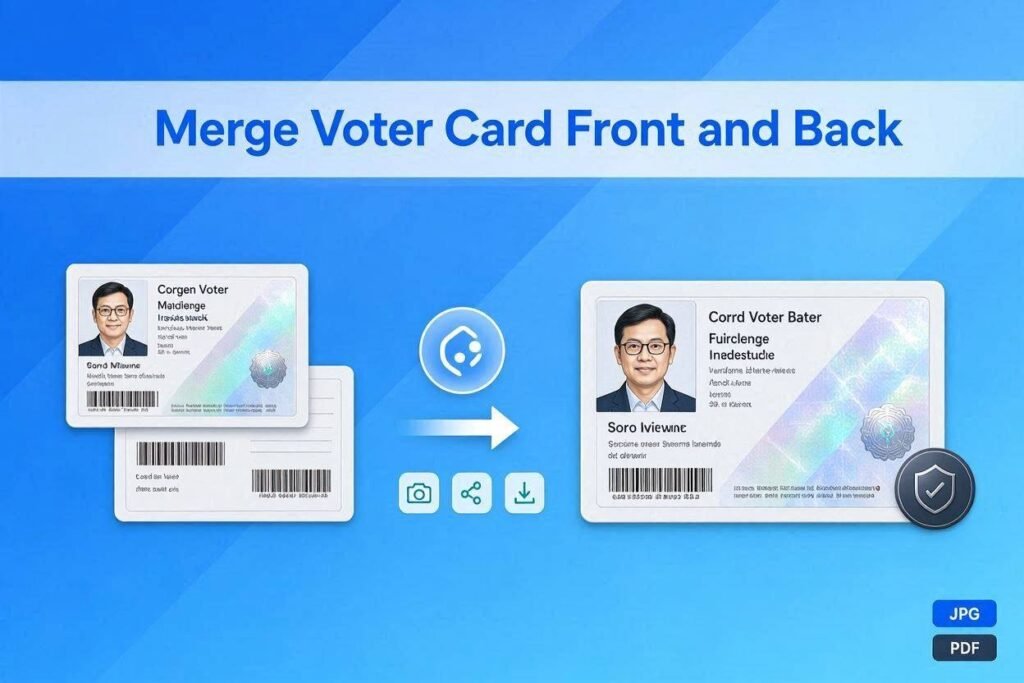
Why Merge Voter Card Front and Back?
There are several reasons why merging both sides of your voter ID is useful. Let us look at some common situations where this tool comes in handy.
- Official Applications – Many government and private organizations require a copy of both sides of your voter card. They want to see the front side with your photo and details, and the back side with the address or other information. Sending one combined file looks more professional and organized.
- Banking and Financial Services – When you open a new bank account or apply for a loan, banks often ask for proof of identity and address. Your voter ID serves both purposes. Merging both sides into one file makes it easier for bank officials to verify your documents.
- Educational Institutions – Schools and colleges sometimes ask for address proof during admission. A merged voter card file saves space in your application and looks tidy.
- Rental Agreements – Landlords and property managers often ask for identity proof before signing a rental agreement. Having a combined file means you can send everything in one go.
- Job Applications – Some employers ask for identity documents during the hiring process. A merged voter card file is easier to attach to emails or upload on job portals.
- Digital Record Keeping – Keeping a digital copy of your important documents is smart. When both sides of your voter card are in one file, your records stay organized and easy to find.
How to Combine Both Sides into One JPG or PDF
Using the Merge Voter Card Front and Back tool is very simple. You do not need any technical skills. Just follow these steps.
Step 1 – Upload the Front Side
Start by uploading the front image of your voter card. Click on the first upload area or drag and drop your image. The tool accepts JPG, PNG, and JPEG formats. Once uploaded, you will see a preview of your image. If you change your mind, you can remove it and upload another one.
Step 2 – Upload the Back Side
Next, upload the back image of your voter card. Use the second upload area in the same way. The back side usually contains your address or other details. Again, you will see a preview after uploading.
Step 3 – Choose Your Layout
Now you can decide how you want the two images arranged. The tool offers two layout options.
- Vertical Layout – This stacks the images one above the other. The front side appears at the top and the back side below it. This is the most common layout and looks like a traditional document. It works well for print and official submissions.
- Horizontal Layout – This places the images side by side. The front side is on the left and the back side on the right. This layout is useful when you need to view both sides together on a screen.
Step 4 – Select Output Format
You can choose between two output formats.
- JPG Image – This is a high-quality image file. It is perfect for uploading on websites or attaching to emails. JPG files are smaller in size and load quickly. The tool automatically optimizes the quality to give you good clarity without making the file too heavy.
- PDF Document – This format is ideal for printing or official submissions. PDF files look professional and are accepted by most government and private organizations. The PDF preserves the exact layout of your merged voter card.
Step 5 – Adjust Spacing
You can also control the space between the two images. The spacing options range from 0 to 20 pixels. A small spacing of 10 pixels usually works best. It gives a clean separation between the front and back sides. You can choose more space if you want the images to stand out clearly.
Step 6 – Preview Before Merging
It is always a good idea to preview your merged file before downloading. Click the Preview button to see how the final result will look. This helps you check if the layout, spacing, and alignment are correct. If something looks off, you can go back and adjust the settings.
Step 7 – Merge and Download
Once you are satisfied with the preview, click the Merge and Download button. The tool will combine both images according to your settings. If you chose JPG, it will download an image file. If you chose PDF, it will download a document file. The download starts automatically.
Step 8 – Start a New Merge
If you want to merge another voter card, click the New Merge button. This clears the upload areas and resets all settings. You can start fresh without any confusion.
Features of This Tool
- Completely Free – This tool is 100 percent free to use. You do not have to pay any money or subscribe to any plan. There are no hidden charges. You can use it as many times as you want.
- No Upload to Server – Your images stay on your device. The tool does not send your files to any server. This means your personal information remains private and secure. You do not have to worry about data breaches or unauthorized access.
- Works Offline – Once the webpage loads, the tool works offline. You do not need an internet connection to merge your images. This is useful when you are traveling or in areas with poor connectivity.
- Simple and Easy – The tool is designed for everyone. You do not need any technical knowledge. The interface is clean and straightforward. Every button and option has clear labels.
- Fast Processing – Merging takes just a few seconds. You do not have to wait for long uploads or processing times. The tool works quickly so you can get your merged file without delay.
- Multiple File Formats – You can choose between JPG and PDF formats. This gives you flexibility depending on where you need to use the merged file. JPG is good for digital uploads, while PDF is better for printing and official submissions.
- Customizable Layout – You can choose between vertical and horizontal layouts. You can also adjust the spacing between images. This control helps you get the exact result you want.
- Preview Option – The preview feature lets you see the merged file before you download it. This saves time because you can make adjustments without downloading multiple files.
- Mobile Friendly – The tool works well on all devices. You can use it on your phone, tablet, or computer. The interface adjusts to fit any screen size.
- No Registration Required – You do not need to create an account or log in. Just open the tool and start using it. There are no passwords to remember or forms to fill out.
Who Can Use This Tool?
The Merge Voter Card Front and Back tool is useful for many people across different regions, including citizens handling national identity cards or voter registrations in Pakistan, India, and other countries where dual-sided verification is required.
- Students – When applying for competitive exams or college admissions, students often need to submit address proof. Merging both sides of their voter card helps them submit a single clean file.
- Professionals – Working professionals who need to submit identity documents for jobs or professional certifications can benefit from this tool. It saves time and makes their applications look neat.
- Home Buyers and Renters – People looking to buy or rent a home need to submit identity proof to property dealers or landlords. Having a merged voter card file makes the process smoother.
- Bank Customers – Anyone opening a bank account or applying for a loan can use this tool. Banks often ask for both sides of identity documents. A merged file reduces the number of attachments.
- Government Applicants – Those applying for government schemes, passport verifications, or subsidies need to submit identity and address proof. This tool helps them prepare clean and clear documents.
Why Choose Our Tool Over Others?
There are many online tools for merging images, but our Merge Voter Card Front and Back tool stands out for several reasons. Let us compare how we are different from other tools.
| Feature | Our Tool | Other Tools |
| Price | Completely free with no hidden charges | Many tools charge money or have limited free usage |
| Privacy | No upload to server, everything stays on your device | Most tools upload your files to their servers |
| Internet Requirement | Works offline after loading | Usually require active internet connection |
| File Formats Supported | JPG, PNG, JPEG input; JPG and PDF output | Limited formats, often only JPG output |
| Layout Options | Vertical and horizontal layouts with adjustable spacing | Fixed layout with no customization |
| Preview Feature | Yes, you can preview before downloading | Most tools do not offer preview |
| Registration Required | No registration or login needed | Many tools ask for email or account creation |
| Processing Speed | Instant merging in seconds | Slow processing with upload delays |
| Data Security | Your files never leave your browser | Files stored on external servers |
| Ease of Use | Simple drag and drop interface | Complicated steps for beginners |
What Makes Us the Best Choice?
When you compare our tool with others, the differences become very clear. We focus on what matters most to our users.
Privacy First – Many people worry about their personal documents being uploaded to unknown servers. With our tool, your images never leave your device. This is the highest level of privacy you can get. No one else can access your voter card images.
Cost Effective – While other tools offer limited free usage and then ask for payment, we keep everything free. You do not need to subscribe or pay for extra features. This makes us the best choice for students and professionals alike.
Better Control – We give you more options. You can choose the layout, spacing, and output format. Other tools usually offer only one fixed way of merging images.
Faster Processing – Since we do not upload your files anywhere, the processing happens instantly on your device. Other tools take time to upload and download files from their servers.
No Distractions – Our tool has a clean interface without annoying pop-ups or misleading buttons. You can focus on merging your voter card without any interruptions.
Long Term Reliability – We do not limit your usage. You can merge as many voter cards as you want. This is important for people who need to merge multiple documents.
Frequently Asked Questions
Is this tool really free?
Yes, the Merge Voter Card Front and Back tool is completely free. You can use it as many times as you want without paying anything.
Do you store my images on your server?
No, we do not store your images. Everything happens in your browser. Your files never leave your device.
Can I upload images from my phone?
Yes, the tool works on phones and tablets. You can upload images directly from your device.
What image formats are supported?
The tool supports JPG, JPEG, and PNG formats. These are the most common image formats.
Can I choose between JPG and PDF?
Yes, you can choose your output format. Select JPG for an image file or PDF for a document file.
How long does the merging take?
The merging happens instantly. It usually takes less than five seconds.
Is there a limit on file size?
There is no strict file size limit. However, very large images may take longer to process. It is best to use images that are clear but not too heavy.
Can I use this tool for other identity cards?
Yes, this tool works for any two images you want to merge. You can use it for Aadhar cards, PAN cards, national identity cards, driver’s licenses, and other documents.
Do I need to install any software?
No, you do not need to install anything. The tool runs directly in your web browser.
Is my data safe when using this tool?
Yes, your data is completely safe. Since nothing is uploaded to any server, your images remain private and secure.
Can I use this tool without internet?
Yes, after the page loads, you can use the tool offline. This is helpful when you are in areas with poor connectivity.
Tips for Best Results
- Capture in Good Lighting – Use clear images for the best output. Blurry or dark images will not look good after merging. Take photos in good lighting with a clean background.
- Check Orientation – Keep the images oriented correctly. The tool does not rotate images automatically. Make sure both sides are upright before uploading.
- Optimize Cropping – Crop out unnecessary backgrounds from your photos before uploading so that the merged document focuses entirely on the voter card itself.
- Choose the Right Format – Choose the right output format based on your needs. If you are going to print the document, choose PDF. If you are going to upload it to a website, choose JPG.
- Use the Preview – Check the preview before downloading. This helps you catch any alignment issues early.
- Fresh Start – Use the New Merge button to clear everything. This avoids confusion when you start working on a new card.