
Merge Aadhar Card Front and Back – Combine Both Sides
Merge Aadhar card front & back into one JPG or PDF file – free & instant
Click or drag Aadhar Front image
JPG, PNG, JPEGClick or drag Aadhar Back image
JPG, PNG, JPEG🔍 Preview: Merged Aadhar Card
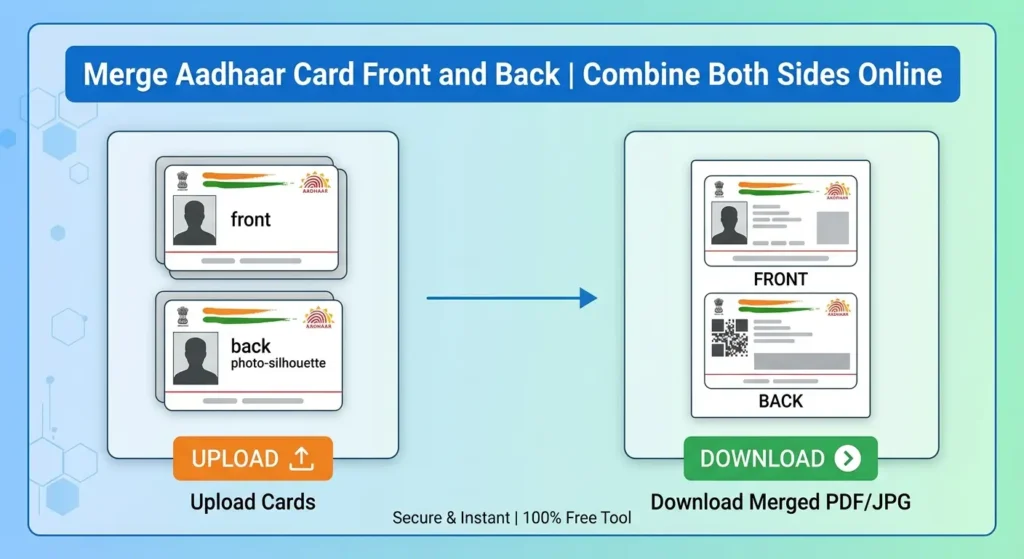
Merge Aadhaar Card Front & Back into One Page
Got your Aadhar card as two separate photos – one for the front, one for the back – and now the form only lets you upload a single file? This tool joins both sides into one JPG or PDF in a few seconds, right inside your browser. No app to install, no sign-up, and no waiting – upload the front and back, pick a layout, and download the merged Aadhar card ready for KYC, printing, or any online submission.
Why You Need to Merge Aadhar Card Front and Back
Most places that ask for Aadhar as ID proof – opening a bank account, applying for a SIM, filling a government form, or uploading documents on a job or college portal – want a single file that shows both sides. Two separate photos usually cause upload errors, since the form field only accepts one file per document. Joining the front and back into one JPG or PDF fixes this in a few seconds, whether it’s needed for printing, online KYC, or emailing to someone.
Aadhar Card Combiner Features
- 100% Free – no sign-up, no watermark, no limit on how many times you use it
- Works with JPG and PNG uploads – photos or scanned copies, both are accepted
- Two output formats – download as a JPG image or a print-ready PDF
- Vertical or Horizontal layout – choose front-on-top for printing, or side-by-side for a compact look
- Adjustable spacing – control the gap between the front and back image
- Instant preview – check the merged result before downloading
- No server upload – the entire merge happens in your browser, so your Aadhar image is never sent anywhere
- Mobile-friendly – works directly from an Android or iPhone browser, no app needed
How to Merge Aadhar Card Front and Back Online
- Click on the “Aadhar Card FRONT Side” box and upload the front photo of your Aadhar card, or a picture taken directly with your phone camera.
- Click on the “Aadhar Card BACK Side” box and add the back image the same way.
- Pick a layout – Vertical (front on top, back below) works best if you plan to print the page, while Horizontal keeps both sides next to each other.
- Choose JPG if you only need an image, or PDF if the form specifically asks for a PDF document.
- Tap Preview to check how the merged Aadhar card looks, then hit “Merge & Download” to save it to your device.
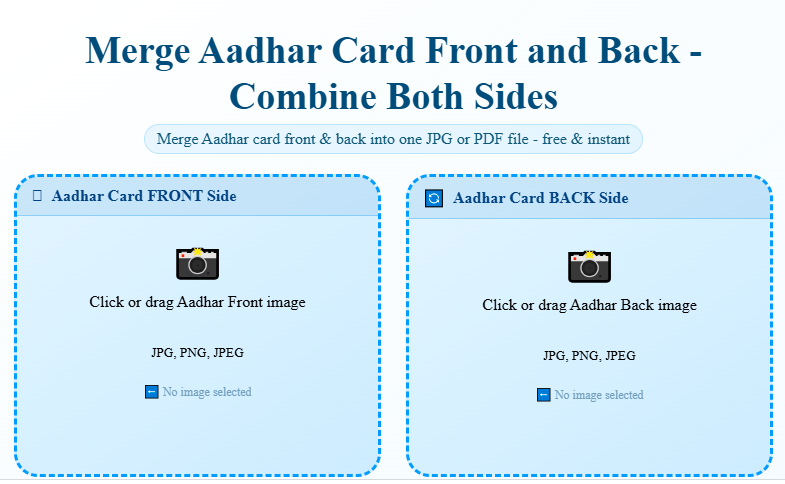
The whole process runs inside your own browser, so your Aadhar images are never uploaded to any server – your ID document stays private throughout.
Note: This tool also works perfectly for merging Voter ID and PAN Cards.
Get Aadhar Card Both Sides in One Page as a PDF
A lot of banks, colleges, and government portals specifically want the Aadhar card’s front and back on a single page rather than two separate images. To do this, keep the layout set to Vertical so the back sits right below the front, just like a printed page, then choose PDF Document from the Output menu before downloading. What you get is one PDF with both sides of your Aadhar card joined together, ready to print or upload wherever a single-page copy is required.
Merging an Aadhar Card Photo Taken From Your Phone
You don’t need a scanner for this. A photo clicked with your phone camera works just as well as a scanned copy – open the front and back images from your gallery and upload them the same way. As long as the Aadhar number, name, and address are clearly visible in the photo, the merged result will come out just as readable.
JPG or PDF – Which One Should You Pick?
Both formats work on most bank KYC forms, government portals, and admission forms, but it’s worth checking the exact requirement first. A JPG is smaller and opens instantly, so it’s fine when a site simply asks for a photo of the document. A PDF is the safer choice when a form clearly says “upload PDF”, since it keeps the layout intact and reads more like a formal scanned copy.
Getting a Clean, Readable Result
Since your Aadhar details need to stay clearly readable after merging, a few things help: take both photos in good light without shadows, keep the card flat instead of at an angle, and avoid glare from tube lights or direct sun. If your front and back photos are of different sizes, the tool automatically centers and aligns them so nothing gets cut off or cropped.
This Tool vs Other Ways to Merge Aadhar Card
| Method | Cost | Time | Quality | Privacy |
|---|---|---|---|---|
| This online tool | Free | Under 30 seconds | Clean, aligned, no compression loss | Processed in-browser, nothing uploaded |
| Photo editing apps (Photoshop, Canva) | Often paid, needs setup | 5-10 minutes | Good, but needs manual alignment | Varies by app |
| Print both, then scan together | Cost of printing/scanning | 10-15 minutes | Depends on scanner/printer quality | Physical copy risk, no digital control |
| Sending two separate photos | Free | Instant | N/A – not merged, often rejected by forms | No merging happens at all |
| WhatsApp/Email “combine” workaround | Free | Manual, fiddly | Inconsistent, hard to align | Files pass through third-party apps |
Frequently Asked Questions
Is this Aadhar card merge tool free to use?
Yes, merging your Aadhar card front and back is completely free, with no sign-up and no watermark on the output.
Can I merge Aadhar card photos taken from my phone camera?
Yes. A photo clicked with your phone or a scanned image both work, as long as the text on the card is readable.
Will my Aadhar card image be uploaded to a server?
No. The merging happens locally in your browser, so your Aadhar image never leaves your device.
Can I download the merged Aadhar card as a PDF?
Yes – select “PDF Document” from the Output option before clicking “Merge & Download”.
How do I join both sides of my Aadhar card into a single page?
Upload the front and back images above, keep the layout on Vertical, and download – both sides will appear one below the other on one page.
Can I attach my Aadhar card front and back for an online form?
Yes, once merged you can download the file as JPG or PDF and attach it directly wherever the form asks for your Aadhar card.
What if my front and back Aadhar photos are of different sizes?
That’s fine – the tool automatically centers and aligns both images so the final file still looks neat and nothing gets cropped.
Does this tool work on mobile phones?
Yes, it’s fully mobile-friendly – you can merge your Aadhar card front and back directly from an Android or iPhone browser, no app needed.