How to Compress Image for Passport Application USA — 2026 Official Guide

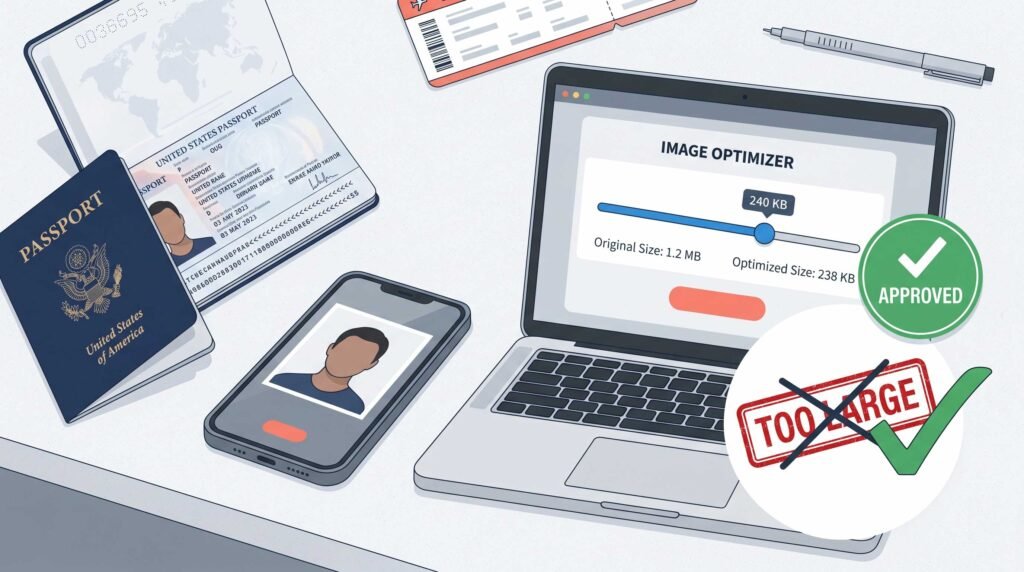
Why Your Passport Photo Got Rejected (And How to Fix It)
You’ve filled out all the forms. You’ve paid the fees. You’re ready to finally get that passport.
Then comes the email:
“Your passport photo has been rejected due to file size/format/dimensions. Please resubmit.”
Sound familiar?
You’re not alone. Every year, thousands of US passport applications get delayed — not because of wrong information, but because of photo technicalities. The file is too big. The dimensions are wrong. The format isn’t JPEG.
Here’s the truth: the US Department of State has very specific requirements for digital passport photos . And if you don’t follow them, your application gets pushed to the back of the line.
The good news? Fixing your passport photo is easy — if you know how to compress it correctly.
In this 2026 guide, I’ll show you exactly how to compress image for passport application USA — meeting every single State Department requirement. No guesswork. No rejections. Just a perfectly sized photo that gets approved the first time.
Let’s dive in.
US Passport Photo Requirements 2026 (Official Specs)
Before we talk about compression, you need to know the official rules. These come directly from the US Department of State’s travel website .
Digital Image Requirements for US Passport
| Requirement | Official Spec |
|---|---|
| Dimensions | Square aspect ratio (height = width). Minimum 600 x 600 pixels. Maximum 1200 x 1200 pixels |
| File Format | JPEG only (not PNG, not HEIC, not WebP) |
| File Size | Less than or equal to 240 KB (kilobytes) |
| Color Space | 24-bit color, sRGB color space |
| Compression Ratio | Less than or equal to 20:1 |
| Background | Plain white or off-white |
| Photo Age | Taken within last 6 months |
| Expression | Neutral expression, both eyes open, mouth closed |
For Online Passport Renewal (Different Limits!)
If you’re renewing your passport online through MyTravelGov, the rules are slightly different :
- File size: Between 54 KB and 10 MB (actually more flexible than the standard application!)
- Format: JPG, PNG, HEIC, or HEIF
- Resolution: At least 600 x 600 pixels
Important Note: The 240 KB limit applies to standard passport applications (paper forms submitted by mail). The 10 MB limit applies to online renewals. Make sure you know which one you’re doing!
Why Image Compression Is Critical for US Passport Photos
Let me be direct: your smartphone camera takes photos that are way too big for passport applications.
A typical iPhone or Android photo:
- Dimensions: 4000 x 3000 pixels (massive)
- File size: 3-8 MB (10-30x larger than allowed!)
The State Department requires under 240 KB for standard applications . That means you need to reduce your file size by 90-95% without ruining the quality.
That’s where compression comes in.
But here’s the tricky part: you can’t just compress blindly. You need to:
- Get the dimensions right (600×600 to 1200×1200 square)
- Get the file size right (under 240 KB)
- Keep the quality good enough for facial recognition
- Maintain proper lighting, background, and expression
Too much compression = blurry photo = rejection.
Too little compression = file too large = rejection.
Wrong dimensions = automatic rejection.
Get it right the first time, and your passport arrives in 6-8 weeks instead of 4-6 months.
How to Compress Image for Passport Application USA — Step by Step
Here’s the exact process I recommend for US passport applicants. It uses a free online tool that’s private (no server uploads) and takes less than 60 seconds.
Step 1: Take a Proper Passport Photo First
Before compressing, you need a good source photo. Here’s how:
- Stand several feet away from a plain white wall
- Face the camera directly (head straight, not tilted)
- Keep a neutral expression — no smiling, no frowning, mouth closed
- Both eyes open and visible
- No glasses (or ensure no glare if you must wear them)
- No hats, head coverings (except religious), or headphones
- Good lighting — no shadows on face or background
Pro tip: Have someone else take the photo. Selfies rarely meet the requirements because of lens distortion and arm-length angles.
Step 2: Transfer Photo to Your Computer or Phone
The tool works on any device, but I recommend using a computer for easier file management.
Step 3: Open the Free Image Compressor
Go to CombineJPG’s Free Image Compressor .
Why this tool?
- ✅ 100% free — no signup, no watermark
- ✅ Client-side processing — your photo never leaves your device (privacy matters for passport photos!)
- ✅ Precise file size control
- ✅ Bulk compression if you’re applying for family members
Step 4: Check Your Current Dimensions
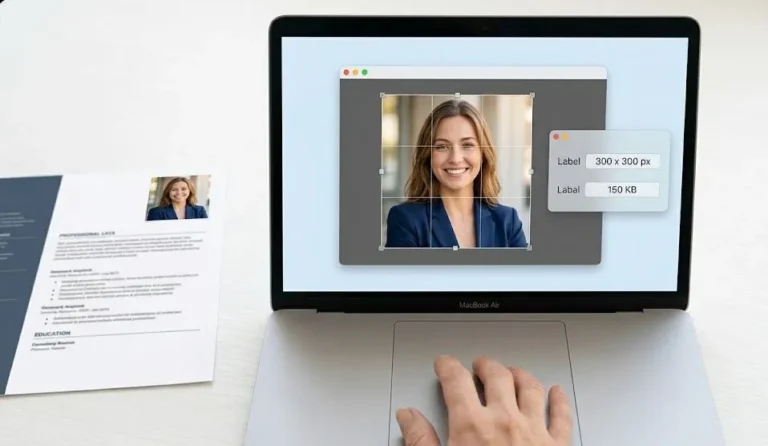
Most smartphone photos are not square. Passport photos need to be square (600×600 minimum) .
Before compressing, check if you need to crop to a square. Many phones have a “1:1” or “square” crop option in the photo editor.
Step 5: Upload and Compress
- Drag and drop your passport photo into the tool
- Use the quality slider to adjust compression
- Aim for under 240 KB (check the output file size)
- Download the compressed image
Quality setting guide for passport photos:
- Start at 85-90% quality — passport photos need to be clear for facial recognition
- If file is still over 240 KB, reduce to 80%
- If file is under 50 KB, you’ve compressed too much — increase quality
Step 6: Verify Your Compressed Photo
Before submitting, double-check:
- ✅ File size is under 240 KB (for standard application) or between 54 KB and 10 MB (for online renewal)
- ✅ Format is JPEG (check the file extension)
- ✅ Dimensions are between 600×600 and 1200×1200 (right-click > Properties on Windows, or Get Info on Mac)
- ✅ Face is clear and recognizable (not pixelated)
Step 7: Submit Your Application
Upload the compressed photo to your passport application. If you’re applying by mail, print it on high-quality photo paper (2×2 inches) and attach it to your form.
Official US Passport Photo Requirements Table (Keep This Handy!)
| Specification | Standard Application | Online Renewal |
|---|---|---|
| File Size | Under 240 KB | 54 KB – 10 MB |
| Dimensions | 600×600 to 1200×1200 pixels (square) | At least 600×600 pixels |
| Format | JPEG only | JPG, PNG, HEIC, or HEIF |
| Color | 24-bit, sRGB | Color |
| Background | Plain white | Plain white |
| Compression Ratio | 20:1 max | Not specified |
Bookmark this table. You’ll reference it constantly.
Common Passport Photo Rejection Reasons (And How to Avoid Them)
Based on State Department data and applicant experiences, here are the top reasons passport photos get rejected:
Rejection #1: File Size Too Large
Problem: Your photo is 3 MB but needs to be under 240 KB .
Solution: Use CombineJPG’s compressor and adjust the quality slider until you’re under 240 KB. Most photos need 80-85% quality to hit this target.
Rejection #2: Wrong Dimensions
Problem: Your photo is rectangular (e.g., 4032×3024) but needs to be square (e.g., 600×600) .
Solution: Crop your photo to a 1:1 (square) aspect ratio before compressing. Most phones have this feature in the default photo editor.
Rejection #3: Wrong File Format
Problem: You uploaded a PNG, HEIC, or WebP file. Standard applications require JPEG only .
Solution: Convert your photo to JPEG before compressing. The CombineJPG tool outputs JPEG by default.
Rejection #4: Poor Quality / Over-Compressed
Problem: You compressed too aggressively, and now the photo is pixelated or blurry.
Solution: Don’t go below 75% quality for passport photos. If the file is still over 240 KB at 75%, start with a smaller source photo or use a better-lit original.
Rejection #5: Shadows on Face or Background
Problem: Uneven lighting creates shadows behind your head or on your face.
Solution: Retake the photo in better lighting. Stand several feet away from the wall to avoid casting shadows .
Rejection #6: Expression Issues
Problem: Smiling, frowning, raised eyebrows, or closed mouth .
Solution: Neutral expression. Relax your face. Both eyes open. Mouth closed.
Advanced: How to Hit the 240 KB Target Exactly
Sometimes you need precision. Here’s the exact workflow I use:
- Start with a high-quality source — good lighting, plain white background, neutral expression
- Crop to square (1:1 aspect ratio) — passport photos require equal width and height
- Resize to 600×600 pixels minimum — smaller than that gets rejected
- Compress starting at 90% quality — check the output size
- If over 240 KB — reduce quality by 5% increments until under the limit
- If under 100 KB at 90% quality — your source photo is too small or already compressed
Sweet spot: Most smartphone photos hit under 240 KB at 80-85% quality.
Quick Tips for US Passport Photo Success
Tip #1: Take Photo in Daylight
Natural daylight (but not direct sun) gives the most even lighting. Avoid overhead lights that cast shadows.
Tip #2: Stand 4-5 Feet from Camera
Too close = distorted facial features. Too far = low resolution. Find the Goldilocks distance.
Tip #3: No Filters, No Retouching
The State Department explicitly prohibits filters or retouching tools that change your appearance . Your photo must represent your current, natural look.
Tip #4: Plain White Background Only
Not off-white. Not cream. Not light gray. Plain white or “near-white” . A clean white wall is ideal.
Tip #5: Check Your Photo Before Submitting
The State Department’s website has a photo validation tool. Use it before submitting your application.
CombineJPG Tools for US Passport Applications
Here are the two CombineJPG tools that will save your passport application:
1. Main Compressor
CombineJPG Free Image Compressor
Use this to:
- Reduce file size from MB to under 240 KB
- Convert to JPEG format
- Compress in bulk for family applications
- 100% private (client-side processing)
2. Extreme Compression (for very large photos)
How to Compress JPG to 20KB Online
Use this if:
- Your photo is extremely large (10+ MB)
- You need to hit a very specific small target
- The main compressor isn’t getting small enough
Note: For US passport applications, you typically won’t need to go as low as 20 KB. The sweet spot is between 100-200 KB.
US Passport Photo vs. Other US Government IDs
Different documents have different requirements. Here’s a quick comparison:
| Document | File Size Limit | Dimensions | Format |
|---|---|---|---|
| US Passport (Standard) | Under 240 KB | 600×600 to 1200×1200 | JPEG only |
| US Passport (Online Renewal) | 54 KB – 10 MB | 600×600+ | JPG, PNG, HEIC, HEIF |
| US Visa | Under 240 KB | 600×600 to 1200×1200 | JPEG only |
| Global Entry | Under 20 MB | Varies | JPEG, PNG |
| State Driver’s License | Varies by state | Varies | Usually JPEG |
Don’t assume passport rules apply to other documents. Always check the official requirements.
Frequently Asked Questions
Can I use a smartphone photo for my US passport?
Yes, but you’ll need to compress it. Smartphone photos are typically 3-8 MB — far above the 240 KB limit . Use the CombineJPG compressor to reduce file size before submitting.
What happens if my passport photo is rejected?
Your application will be delayed. The State Department will notify you by mail or email with instructions to resubmit a corrected photo. You typically have 30-60 days to respond.
Can I smile in my US passport photo?
No. The State Department requires a neutral expression with your mouth closed . No smiling, frowning, or raised eyebrows.
Can I wear glasses?
It’s recommended to remove glasses for passport photos. If you must wear them, ensure there’s no glare and your eyes are fully visible.
How long is a passport photo valid?
Your photo must be taken within the last 6 months . It needs to represent your current appearance.
Do I need a professional passport photo?
Not necessarily. Many people successfully take and compress their own passport photos. But you must follow all requirements carefully. A professional photographer can help avoid rejections, but they’ll also charge $10-20 per photo.
Can I use the same compressed photo for online renewal and standard application?
Be careful. Online renewal allows up to 10 MB , while standard applications require under 240 KB . If you compress for standard application (under 240 KB), it will also work for online renewal. But if you use an online-renewal-sized photo (e.g., 5 MB) for a standard application, it will be rejected.
Final Checklist Before Submitting Your Passport Application
Run through this list before hitting submit or mailing your application:
Photo Content ✅
- Photo taken within last 6 months
- Plain white or off-white background
- Neutral expression (no smile, mouth closed)
- Both eyes open, looking directly at camera
- No glasses (or no glare if worn)
- No hat or head covering (except religious)
- Good lighting, no shadows on face or background
Digital File (Standard Application) ✅
- File format is JPEG
- File size is under 240 KB
- Dimensions are 600×600 pixels minimum (square)
- Dimensions are 1200×1200 pixels maximum
- Photo is clear and not pixelated
- Color photo (not black and white)
Digital File (Online Renewal) ✅
- File format is JPG, PNG, HEIC, or HEIF
- File size is between 54 KB and 10 MB
- Resolution is at least 600×600 pixels
- Color photo
Do this checklist once, and your passport application will sail through.
Recommended Tools from CombineJPG
Bookmark these pages for your passport application:
- Free Image Compressor (No Signup, No Watermark) – Reduce your passport photo to under 240 KB in seconds. Private, secure, and free.
- How to Compress JPG to 20KB Online – For extreme compression needs (though passport photos rarely need to go this small).
Both tools are:
- ✅ 100% free
- ✅ No signup required
- ✅ No watermarks
- ✅ Private (client-side processing — your passport photo never leaves your device!)
Conclusion: Get Your US Passport Photo Right the First Time
You now know exactly how to compress image for passport application USA — meeting every State Department requirement.
Remember the three most critical specs:
- Under 240 KB for standard applications
- 600×600 pixels minimum (square)
- JPEG format only
Follow the steps in this guide, use the CombineJPG compressor , and your passport photo will be approved on the first try.
No more rejections. No more delays. Just a smooth passport application process.
Your adventure is waiting. Don’t let a badly compressed photo stand in the way.
Ready to compress your passport photo? Click the link above and do it right now. It takes 30 seconds and could save you months of waiting.