Best Free ID Card Merger Tools 2026 – Combine Front & Back Into One File

Every day, millions of people need to combine the front and back of their ID card into a single image or PDF. Bank KYC forms, job applications, visa paperwork, freelance platform verification the list of situations where this comes up is long and growing. And every time, the same question comes up: which tool should I use?
There are dozens of options out there in 2026, ranging from excellent to risky. This guide breaks down the best free tools, what makes them worth using, and which one stands out as the safest and fastest choice.
What to Look for in an ID Card Merger Tool
Before we get into the list, here are the criteria that actually matter when you are choosing a tool to handle identity documents:
Privacy and data security: Does the tool upload your images to a server? Identity documents should never be processed server-side by unknown services. The safest tools work entirely in your browser, locally, with zero server upload.
Output quality: Does the merged image look clean and professional? Good tools maintain high resolution and consistent alignment. Poor tools produce blurry or misaligned results.
Format flexibility: Can you download as both JPG and PDF? Can you choose vertical or horizontal layout? Tools that offer layout and format options are far more useful across different submission requirements.
Speed: Does the merge happen instantly, or does it take 30 seconds and three loading screens? Browser-based tools that work locally are almost always faster than server-side tools.
Ease of use: Is it genuinely simple to use on a mobile phone? Most people doing ID card submissions are on their phones, not desktop computers.
Best Free ID Card Merger Tools in 2026
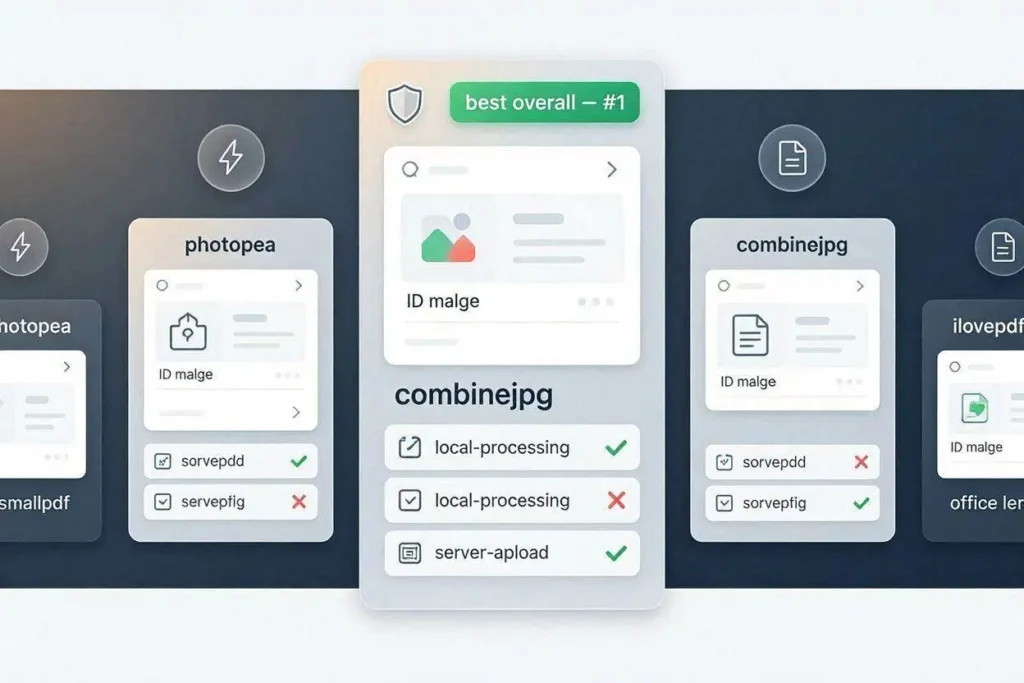
1. CombineJPG ID Card Merger — Best Overall

CombineJPG ID Card Merger is the top choice for 2026 for one decisive reason it is the only widely used free tool that processes your images entirely in your browser with no server upload. For identity documents CNIC, Aadhaar, PAN, driving license, passport, voter ID this privacy guarantee matters more than any feature.
What it does well:
- Fully browser-based processing images never leave your device
- No account, no signup, no watermark
- JPG and PDF output options
- Vertical (stacked) and horizontal (side by side) layouts
- Adjustable spacing between card images
- Works on Android, iPhone, Windows, and Mac
- PDF output is A4 formatted and print-ready
- Fast the merge completes in under two seconds
The only limitation is that it is designed for two-image merges front and back of one card. If you need to combine more than two documents, you would use a separate multi-image tool.
Verdict: Best free tool for merging ID card front and back. Use this one.
If you also need to combine multiple screenshots or scanned pages into one file — not just a front/back pair — CombineJPG’s merge JPG online tool supports the same horizontal and vertical layouts, but for general-purpose images.
2. Photopea — Best for Custom Editing
Photopea (photopea.com) is a free browser-based image editor that closely mirrors Adobe Photoshop. If you need more control precise alignment, custom spacing, text annotations on your merged image Photopea can do it.
The catch is complexity. Photopea is a full image editor, which means you need to manually create a canvas, place both images as layers, resize everything, and export. For someone who just needs a quick merge, this is overkill. For someone who needs to professionally format an ID document with specific dimensions and layout, it is a strong option.
Photopea also processes locally in the browser, so it has the same privacy advantage as CombineJPG. It just requires significantly more steps.
Verdict: Good for advanced users who need custom layouts. Not the right choice for a quick merge.
3. ILovePDF — Good for PDF Output
ILovePDF (ilovepdf.com) is primarily a PDF tool, but it has an image-to-PDF conversion feature that some people use to combine ID card images. Upload both images, set the page layout, and download as a PDF.
The limitation here is privacy: ILovePDF uploads your files to its servers for processing. For most document types, this is acceptable. For identity documents with your name, address, and ID number, you should think twice before using a server-side tool.
ILovePDF also has file size limits on the free tier and displays ads between steps.
Verdict: Works well for PDF output but involves a server upload. Not ideal for sensitive ID documents.
4. Smallpdf — Reliable But Server-Side
Smallpdf (smallpdf.com) is one of the most popular online document tools. It can convert images to PDF and combine them, which covers the basic use case of merging ID card front and back.
Like ILovePDF, Smallpdf processes files on its servers. The free tier has daily usage limits, and some features require a subscription. The interface is clean and the output quality is good.
Verdict: Reliable tool for general document tasks. Not the best choice when privacy is a concern, as with identity documents.
5. Microsoft Office Lens — Mobile Scanner Option
Microsoft Office Lens (available on Android and iPhone for free) is a mobile scanning app that captures clean, auto-cropped photos of documents and cards. It does not directly merge front and back into one image, but some users take a screenshot of both card captures on screen and crop that as their merged image.
This workaround produces inconsistent results and lower quality than a dedicated merger. Office Lens is excellent for capturing clean single images of documents, but using it for ID card merging requires extra steps and judgment.
Verdict: Great for capturing clear ID card photos. Not designed for merging.
Side-by-Side Comparison
| Tool | Cost | Server Upload | File Types | Layout | Speed | Signup |
|---|---|---|---|---|---|---|
| CombineJPG | Free | No | JPG & PDF | Vertical & Horizontal | Instant | Not required |
| Photopea | Free | No | JPG & PNG | Custom | Fast | Not required |
| ILovePDF | Free (limited) | Yes | PDF only | Portrait | Moderate | Not required |
| Smallpdf | Free (limited) | Yes | PDF only | Portrait | Moderate | Optional |
| Office Lens | Free | Yes (OneDrive) | JPG only | Manual | Fast | Microsoft account required |
The Privacy Factor in 2026
In 2026, data privacy regulations have grown stricter worldwide. GDPR in Europe, PDPB in India, and the Personal Data Protection Act in Pakistan all place obligations on services that handle identity documents. When you upload your CNIC, Aadhaar, or passport photo to a server-side tool, you are trusting that service to handle your data responsibly, store it securely, and delete it after processing.
For a tool you are using for free, anonymously, with no account, that trust has no enforcement mechanism behind it.
The safest approach is always a tool that does not receive your data in the first place. Browser-based, client-side processing eliminates the server trust problem entirely.
Which Tool Should You Use?
For the vast majority of people who need to merge an ID card front and back quickly, safely, and for free, CombineJPG is the clear answer. It is faster than the alternatives, it is safer for sensitive identity documents, it outputs both JPG and PDF, and it works on every device without any installation.
If you have advanced editing needs, Photopea gives you more control at the cost of more complexity. For everything else, CombineJPG handles the job in under a minute with zero risk to your identity data.
More Free Tools from CombineJPG
Once you have merged your ID card, you might need to compress the file before uploading — use the free JPG compressor. If you need to rotate a photo before merging, the image rotation tool has you covered. And if you need to combine multiple ID documents into a multi-page PDF, the JPG to PDF converter does the job instantly, also in your browser with no upload.
Bottom Line
The best free ID card merger tool in 2026 is the one that combines privacy, speed, and flexibility in one package. CombineJPG does exactly that. Use it for your CNIC, Aadhaar, PAN, driving license, or any other two-sided identity document — and skip every tool that wants to touch your data on a remote server.